Automatically trigger SEPA payouts when invoices are paid
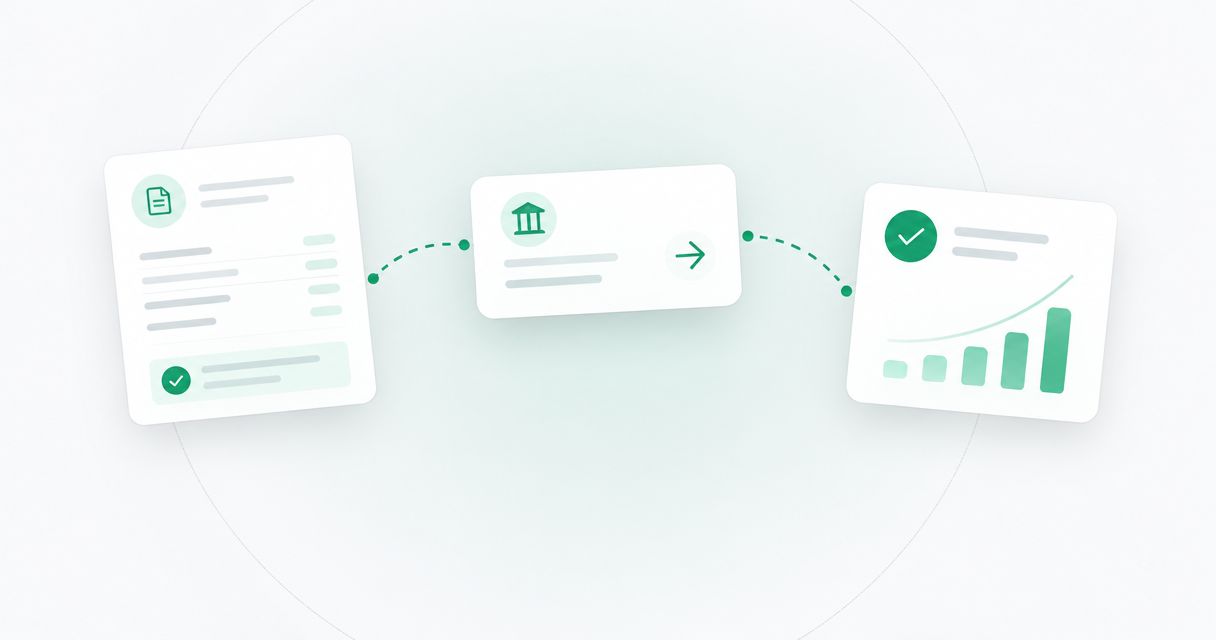
Instead of checking paid invoices and rebuilding EUR payment instructions by hand, configure your invoice system to prepare a payout review task when payment is reconciled. For automatic SEPA payouts when invoice paid, automate preparation—not unattended sending: Moneyspace requires two-factor authentication for every payout, and this 2026 workflow keeps that authorization step intact.
TL;DR
- Moneyspace suits teams that need EUR SEPA payouts with human authorization.
- For automatic SEPA payouts when invoice paid, trigger preparation after payment reconciliation—not an invoice status change alone.
- Keep invoice automation separate from payout authorization; every payout requires two-factor authentication.
- Record the invoice, recipient, approval and payout status together to prevent duplicate instructions.
Why this matters
An invoice marked paid isn't necessarily proof that funds are ready for an outgoing payment. Someone can update an invoice manually, apply a credit or record a payment before your receiving records reconcile.
Use a reconciled payment as the release condition for payout preparation. Keep the resulting task separate from the actual transfer. That distinction prevents an accounting update from becoming an instruction to send money.
Moneyspace provides EUR account details in your own name and SEPA payouts, with the fee shown before confirmation. Every payout requires two-factor authentication. This guide therefore describes an invoice-triggered preparation workflow with a controlled sending step—not a documented native integration or unattended payout feature.
For your 2026 setup, treat invoice payment, payout authorization and payout completion as separate events. Each event answers a different question: Was the customer payment recorded? Was the outgoing payment approved? Did the payout complete?
Before you start
- Access and verification: Have access to your invoice system, payment reconciliation records and verified EUR account details. Business access requires KYB. Verification does not promise approval or a completion deadline.
- Automation capability: Confirm that your invoice or workflow system supports a paid-invoice trigger, reconciliation checks and a review queue. Use only documented connector actions. If those capabilities aren't present, follow the same checklist manually rather than inventing an integration.
- The authorization gotcha: Every payout, new recipient and team grant requires two-factor authentication. Build a human checkpoint into the process before setup—not after discovering that an unattended workflow can't authorize the payment.
Prepare the recipient's verified payment instructions, the business reason for paying and the rule that determines the outgoing amount. A customer's invoice total is not automatically the amount owed to your supplier or contractor.
Configuration unit: payment event and eligibility
Define the qualifying event
- Select your invoice system's documented event for a paid invoice. Use the actual event name shown in that system; don't substitute an assumed connector or event label.
- Check the invoice identifier, customer payment record, currency and receiving entity against your reconciliation records.
- Exclude partial payments, credits and manually marked payments unless a reviewer confirms they satisfy your release policy.
- Confirm that the intended outgoing payment has a separate obligation behind it, such as an approved supplier invoice or contractor statement.
- Route eligible records into a review queue. Route incomplete records into an exception queue without creating a sending instruction.
Expected result: A qualifying invoice produces a preparation task, while an accounting status change without matching payment evidence stops for review.
Don't use an invoice number alone to match incoming funds. Include the company and customer context so similar references don't connect unrelated records. For founders with several companies, require an explicit match between the entity receiving the customer payment and the entity responsible for the outgoing obligation.
In your 2026 workflow specification, write down what counts as reconciliation. A reviewer should reach the same decision from the same evidence without relying on the person who originally built the workflow.
Configuration unit: payout record and duplicate control
Build the review record
The field names below are proposed fields for your own workflow record, not labels from a product interface.
- Create an
invoice_idfield and preserve the original source identifier without changing its format. - Add
receiving_entity,payment_referenceandpayment_evidenceso the reviewer can trace why the task was created. - Add
recipient_reference,payout_currencyandpayout_amount. Derive the amount from the approved outgoing obligation, not automatically from the customer's payment. - Create an
obligation_keythat identifies the company, recipient and payable obligation. Check for an existing record with that key before creating another task. - Add
review_state,authorization_recordandpayout_reference. Keep preparation status separate from transfer status.
Expected result: Every prepared instruction has an audit trail, and repeated invoice events lead back to the existing obligation rather than creating another payment task.
Keep sensitive recipient details in an access-controlled location. The invoice event only needs enough information to locate the approved recipient record; it doesn't need to copy full payment instructions into every notification.
A duplicate check must cover more than repeated trigger delivery. A user can also reprocess an invoice or restart a failed workflow. Search for both an existing preparation record and a previously authorized payout before allowing another instruction through.
Configuration unit: recipient review and authorization
Prepare the SEPA instruction
- Match the recipient to approved EUR payment instructions. Confirm the recipient identity and IBAN against your trusted records.
- Verify that the destination and payment route are supported before preparing the transfer. Don't interpret worldwide audience positioning as universal destination coverage.
- Check the available EUR balance and the intended payout amount. Keep any USD/EUR exchange as a separate reviewed decision.
- Check the applicable profile limit. Individuals have a €10,000 limit per payout and a €50,000 monthly limit; businesses have a €100,000 limit per payout and no monthly limit.
- Review the fee displayed before confirmation. Complete the required two-factor authentication for the payout, and record its reference in the workflow record.
Expected result: A reviewed obligation becomes an authorized SEPA payout, with the sending decision attached to the original preparation record.
Moneyspace is best for teams that want EUR SEPA payouts with a human authorization step. The benefit is a visible checkpoint before money moves; the constraint is that this process is not unattended invoice-to-payout execution.
Don't split a payment to work around a profile limit. Stop the task and resolve the limit issue before proceeding. If recipient instructions change during review, revalidate them before authorization rather than accepting the change because the invoice already passed its checks.
Configuration unit: payout status and reconciliation
Close the payment loop
- Save the payout reference alongside the obligation record immediately after authorization.
- Track the actual payout status: Processing, On its way and Completed. These are transfer states, not invoice states.
- Update your internal record when you confirm a status change. Use documented status retrieval only if your available integration explicitly supports it; otherwise check the status manually.
- Mark the outgoing obligation settled only after the payout shows Completed and the reference matches.
- Preserve the final payment record for reconciliation, including the amount, fee and recipient reference.
Expected result: Your records distinguish a paid customer invoice from a completed outgoing payout. A prepared or authorized instruction never appears as a completed payment merely because the automation ran.
Payouts usually take 1–2 business days. That timing isn't a deadline for your automation to resend an instruction. If a payment remains unresolved, investigate the existing payout before considering another attempt.
Use this status separation in your 2026 reporting as well. Report prepared obligations, authorized payouts and completed payouts independently; combining them hides where work is waiting.
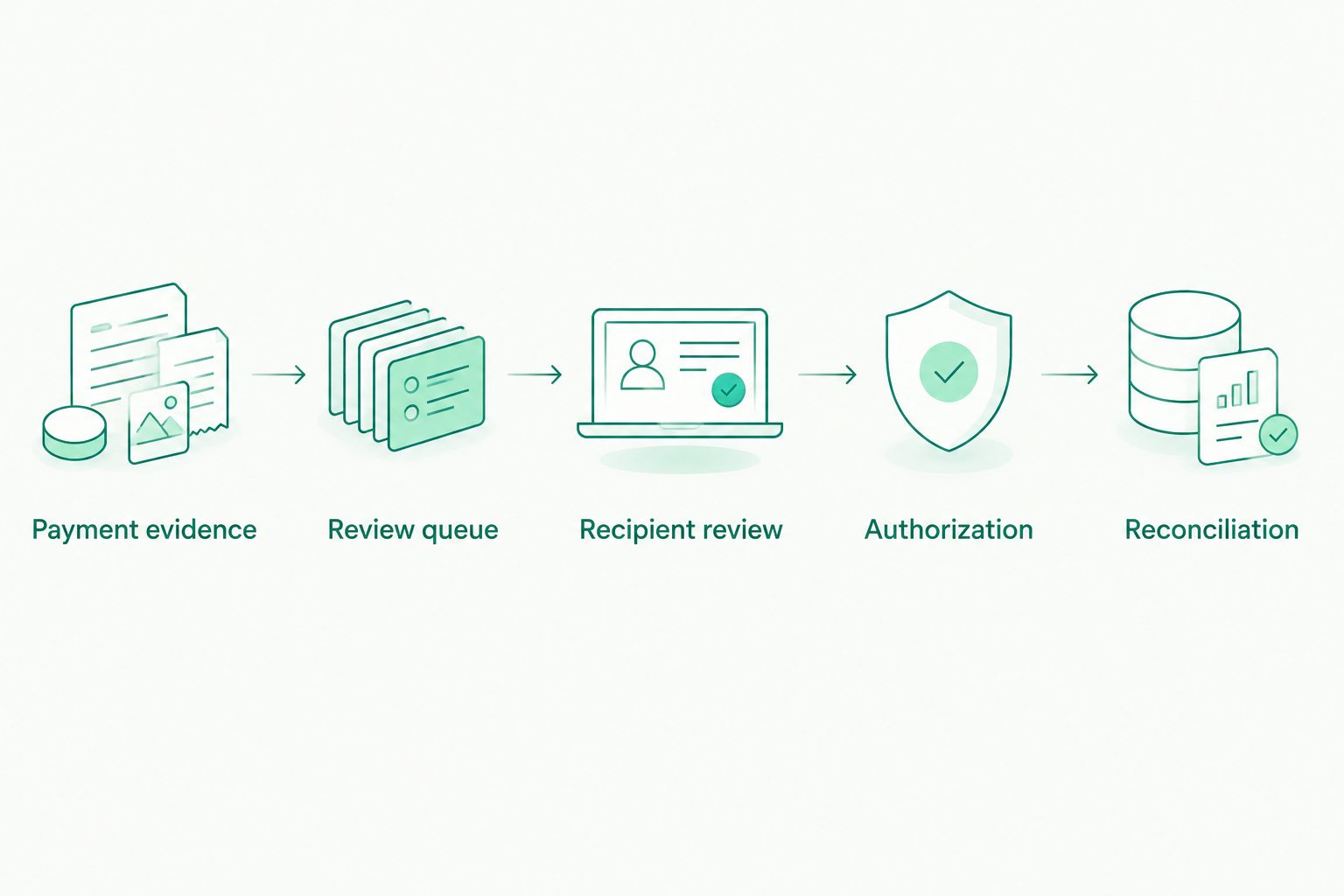
Invoice automation prepares the instruction; authorization remains a separate checkpoint.
Second variant: prepare a review batch after reconciliation
An event-by-event queue isn't the only workable design. If several paid invoices support payments to suppliers or a remote team, collect eligible obligations into a review batch instead. Keep each obligation identifiable even when reviewers handle them together.
| Workflow | Best for | Advantage | Constraint |
|---|---|---|---|
| Event-by-event review | Teams reviewing obligations as customer payments reconcile | Keeps each preparation task close to its source event | Repeated events need duplicate controls |
| Scheduled review batch | Teams reviewing several eligible obligations together | Groups review work without losing individual records | Requires a cutoff rule and exception handling |
To build the batch variant, collect only reconciled, approved obligations that haven't already been authorized. Freeze the review list before authorization. Put later arrivals into the next review cycle rather than changing the list underneath the reviewer.
The principle behind AI-assisted payment batch preparation is relevant here: preparing a batch and authorizing its payments are separate responsibilities. A prepared list still needs recipient checks, duplicate controls and approval before execution.
Batch preparation does not remove the authentication requirement for each payout. Treat a batch as an organizational tool, not evidence that a bulk-upload feature or unattended sending method exists.
Troubleshooting
The same invoice creates another task
Check whether your duplicate control uses the payable obligation or only the latest event identifier. Different events can refer to the same obligation. Find the existing record, preserve the new event as supporting evidence and don't authorize another payout.
The invoice says paid, but the receiving records don't match
Hold the task in the exception queue. Check whether the status came from a manual update, partial payment or accounting adjustment. Resume preparation only after a reviewer confirms the payment evidence and release condition.
The workflow reaches the authorization step and stops
Don't treat the required authentication as an error to bypass. Every Moneyspace payout requires two-factor authentication. Assign the review task to an authorized person and keep the instruction pending until that person completes the required process.
The amount exceeds the profile limit
Compare the instruction with the applicable per-payout limit and, for individuals, monthly usage. Don't repeatedly retry an instruction that exceeds a limit. Resolve the payment plan through the appropriate account process before authorization.
The invoice is closed, but the payout isn't completed
Reopen the outgoing obligation's tracking state without changing the customer's paid invoice. Follow the existing payout reference and live status. An internal accounting closure doesn't prove that the outgoing transfer completed.
Customize your workflow
Expand controls before expanding automation. For your 2026 configuration, assign a named person to recipient changes, exception review and final reconciliation. Record who owns each task so a failed check doesn't become an unassigned notification.
Use the available owner, admin, operator and view-only roles to plan access. Verify the permissions attached to each role before assigning it; role names alone don't establish who can authorize a payout. New team grants also require two-factor authentication.
For several companies, keep the obligation ledger separated by legal entity even when profiles share one sign-in. Never use a convenient shared workspace as the reason to mix company payment records.
Moneyspace is not a bank. Account details are provided through a licensed partner after verification. Use the account for the supported payment workflow without treating access or verification as universal approval.
Open an account
Get your own USD and EUR account details after verification. Review fees before confirming payouts.
FAQ
Can I set up automatic SEPA payouts when an invoice is paid?
You can design an invoice-triggered preparation workflow, but this guide does not establish unattended payout support. Moneyspace requires two-factor authentication for every payout, so keep authorization as a separate human step.
Does changing an invoice to paid prove that money has arrived?
No. A paid status can reflect a manual update or accounting adjustment, so match it with receiving and reconciliation records before preparing an outgoing payment.
Is there a native connector for this invoice-to-SEPA workflow?
This guide does not identify a native connector or documented payout API. Confirm the actions supported by your invoice and workflow systems before configuring automation; use a manual review queue where integration support is absent.
How do I stop a paid invoice from causing duplicate payouts?
Check a persistent obligation record before creating or authorizing another instruction. Tie that record to the company, recipient and payable obligation, and preserve the payout reference after authorization.
How long do SEPA payouts take?
Payouts usually take 1–2 business days. Track the existing payout status rather than sending another payment because the invoice has already closed.
Can I prepare several supplier payments together?
Yes, you can organize eligible obligations into an internal review batch. That does not establish a bulk-upload capability or remove the authentication requirement for each payout.
Should I pay out the entire customer invoice amount?
Only if that amount matches the approved outgoing obligation. Customer receipts and supplier or contractor payments are separate records, so calculate the payout from the obligation you actually owe.
One last thing
Test the duplicate path before the successful path. In your preparation workflow, replay the same qualifying invoice event and confirm that it points to the existing obligation without creating another instruction. Test preparation without authorizing a live payout. A workflow that handles a normal event but repeats a payment task isn't ready for routine use.