Best multi-currency accounts for SaaS companies in 2026

Best for USD/EUR operations: Moneyspace. Best for broader currency needs: Wise Business. Best for payment and spend workflows: Airwallex. Best for expenses alongside currency management: Revolut Business. This 2026 guide matches each option to a SaaS finance workflow rather than naming a universal winner.
TL;DR
- Moneyspace is the best multi currency account for SaaS companies focused on USD/EUR collections and supported payouts.
- Wise Business suits broader currency needs; check receiving details and business eligibility for your jurisdiction.
- Airwallex suits payment and spend workflows; Revolut Business suits expenses alongside currency management.
- Choose by receiving method, payout requirements, access controls and total transaction costs—not currency count alone.
Why this matters
A SaaS company can invoice customers in one currency and pay contractors in another. Your account needs to support both sides of that workflow. A long currency list doesn't establish whether a customer can pay your invoice using the method their finance team requires.
Separate account services from subscription billing. Receiving ACH, wire or SEPA payments doesn't establish support for recurring card charges, subscription changes, tax calculation or revenue recognition. Keep those requirements in your billing evaluation.
For your 2026 shortlist, start with the money movement you actually need. Write down your invoicing currencies, customer payment methods, supplier destinations and company jurisdictions before comparing providers.
What makes the best multi-currency account for SaaS companies
Use these criteria before reading the ranking. A provider that fails a required payment route doesn't belong on your final shortlist.
- Receiving details: Check whether account details are issued in your company's name and support the payment methods your customers use.
- Currency fit: Match receiving, holding, conversion and payout capabilities separately. They're different requirements.
- Total transaction cost: Review incoming fees, outgoing fees, conversion charges and minimums together.
- Payout fit: Check recipient destinations, transfer limits, usual timing and payment status visibility.
- Team controls: Confirm who can view balances, create recipients, send payments and manage access.
- Entity eligibility: Check your company's incorporation jurisdiction, business activity and verification requirements before changing invoice instructions.
For a 2026 decision, treat essential capabilities as pass-or-fail checks. Don't offset an unsupported payment method with an attractive feature your team won't use.
Multi-currency accounts at a glance
The order below follows distinct operating needs. It isn't a claim that one provider beats every other provider on every dimension.
| Option | Best for | Standout capability | Key limitation or decision check |
|---|---|---|---|
| Moneyspace | SaaS companies operating in USD and EUR | Own-name account details, ACH/wire/SEPA payouts and multiple company profiles | USD and EUR only; eligibility and destinations require confirmation |
| Wise Business | SaaS companies needing a broader currency scope | Multi-currency holding, conversion and international transfers | Check receiving details and business features for your jurisdiction |
| Airwallex | SaaS teams connecting payments with spend workflows | Business accounts, payments and spend-management products | Confirm the required product combination for your entity |
| Revolut Business | SaaS teams managing expenses alongside currencies | Multi-currency business accounts and expense-management tools | Check entity eligibility and the plan features your team needs |
1. Moneyspace: best multi-currency account for USD/EUR operations
Moneyspace is best for SaaS companies that need their own USD and EUR account details, supported payouts and access across several companies. You get USD routing and account details plus EUR IBAN/BIC details in your own name, rather than a shared payment reference. Account details are provided through a licensed partner after verification.
Receive payments through ACH, wire and SEPA. Exchange USD and EUR inside the account, then pay suppliers and teams through supported payout routes. This fits an invoice-led workflow where customers need payment instructions and your finance team needs visibility into outgoing transfers.
Moneyspace pros
- Own-name details: Give customers dedicated payment details instead of relying on a shared reference.
- One online verification process: Business KYB opens access to USD and EUR after successful verification.
- Company and team access: Manage several company and personal profiles under one sign-in, with owner, admin, operator and view-only roles.
- Transfer controls: Every payout, new recipient and team grant requires 2FA. Fees appear before confirmation, and payouts have live status.
Limitations
- Currency coverage is limited to USD and EUR. Choose another option if a required workflow depends on another currency.
- Businesses have a $100,000 or €100,000 limit per payout, although no monthly limit applies.
- Payment timing isn't immediate. Incoming ACH usually takes 1–3 business days; incoming wire and SEPA usually arrive within a business day. Payouts usually take 1–2 business days.
Pricing
Opening, verification and the monthly fee are free; incoming ACH, wire and SEPA cost 0.5%; outgoing ACH costs 0.5% with a $2 minimum, wire 0.5% with a $15 minimum, and SEPA 0.5% with a €2 minimum; USD/EUR exchange costs 0.5% with a $1 minimum.
Check each step of the transaction. Receiving a payment, exchanging its currency and sending a payout are separate actions, so don't treat the incoming fee as the total cost of the entire workflow.
Best for: Invoice-led SaaS businesses collecting and paying in USD and EUR, including founders managing several companies.
Verdict: Buy for a verified USD/EUR fit; skip if another currency is essential.
2. Wise Business: best multi-currency account for broader currency needs
Wise Business provides multi-currency holding, currency conversion and international business transfers. Put it on your shortlist when your required currency scope extends beyond USD and EUR.
Evaluate the full route, not just the currency name. Your company needs the right receiving details, a usable conversion path and a supported way to pay the recipient. Confirm those requirements for your business jurisdiction before selecting the account.
Wise Business pros
- Broader currency scope: Relevant when your SaaS business operates beyond the USD/EUR pair.
- Holding and conversion: Supports a workflow that separates receiving funds from converting them.
- International transfers: Fits a business-payment evaluation rather than only an expense-card evaluation.
Wise Business cons and checks
- Don't assume every supported currency includes local receiving details for your entity. Check the specific receiving capability you need.
- Multi-currency transfers don't replace subscription billing. Keep recurring payment collection and billing requirements separate.
- Don't infer account permissions or integration suitability from the transfer product alone. Review those requirements directly.
Best for: SaaS companies whose confirmed receiving or payout requirements extend beyond USD and EUR.
Verdict: Buy when broader currency coverage is essential and your required routes are supported.
3. Airwallex: best multi-currency account for payment and spend workflows
Airwallex offers business accounts, payments and spend-management products. Its place on this shortlist is the connection between money movement and company spending, rather than currency holding alone.
Start with a written workflow. Identify how customer funds arrive, who spends company money and how finance reviews the activity. Then check which Airwallex products support that workflow for your entity.
Airwallex pros
- Payment and spend scope: Gives teams a reason to evaluate account services alongside spending tools.
- Business-focused products: Relevant when finance needs more than a place to receive invoice payments.
- Workflow-based selection: Lets you assess payments and spend as connected requirements rather than unrelated purchases.
Airwallex cons and checks
- A broad product range isn't proof that every feature is available to your company. Confirm entity and product eligibility.
- Separate essential account capabilities from optional spend features. An unused feature doesn't justify a more complicated setup.
- Check your accounting handoff directly. Don't assume a product category establishes compatibility with your existing process.
Best for: SaaS finance teams evaluating payment operations and company spending together.
Verdict: Buy when the combined payment-and-spend workflow solves a documented operational need.
4. Revolut Business: best multi-currency account for expense-led teams
Revolut Business combines multi-currency business account services with expense-management tools. Shortlist it when employee spending and finance oversight are central to your account decision.
Test the receiving workflow separately from the expense workflow. A good fit for staff spending doesn't automatically establish a good fit for customer invoice collection. Your finance lead should approve both before migration.
Revolut Business pros
- Currency and expense scope: Supports evaluating company spending alongside currency management.
- Business account focus: Relevant to a company-level account decision rather than a personal transfer setup.
- Expense-management tools: Gives expense-led teams a specific reason to include it in their comparison.
Revolut Business cons and checks
- Entity eligibility is a prerequisite. Don't select it before checking whether your company qualifies.
- Confirm the plan includes the tools your team intends to use. Don't choose from the product name alone.
- Keep customer payment methods on the checklist. Expense features don't answer whether an invoice can be paid through your required route.
Best for: SaaS companies where managing employee expenses is a major part of the finance workflow.
Verdict: Buy when expense management is a core requirement and the account also meets your collection needs.
How to check your shortlist before switching
Don't replace every invoice instruction at once. First confirm that the account supports your legal entity and the exact payment workflow you intend to move.
Use this sequence for each provider:
- Entity check: Confirm the company jurisdiction, business activity and verification requirements.
- Receive: Check the account-holder name, currency and payment method against your customer's payment instructions.
- Exchange: Review whether conversion is necessary and identify the applicable charge.
- Pay out: Check the recipient details, destination, limit, fee and usual timing.
- Reconcile: Confirm how your team will match the payment to the invoice and accounting record.
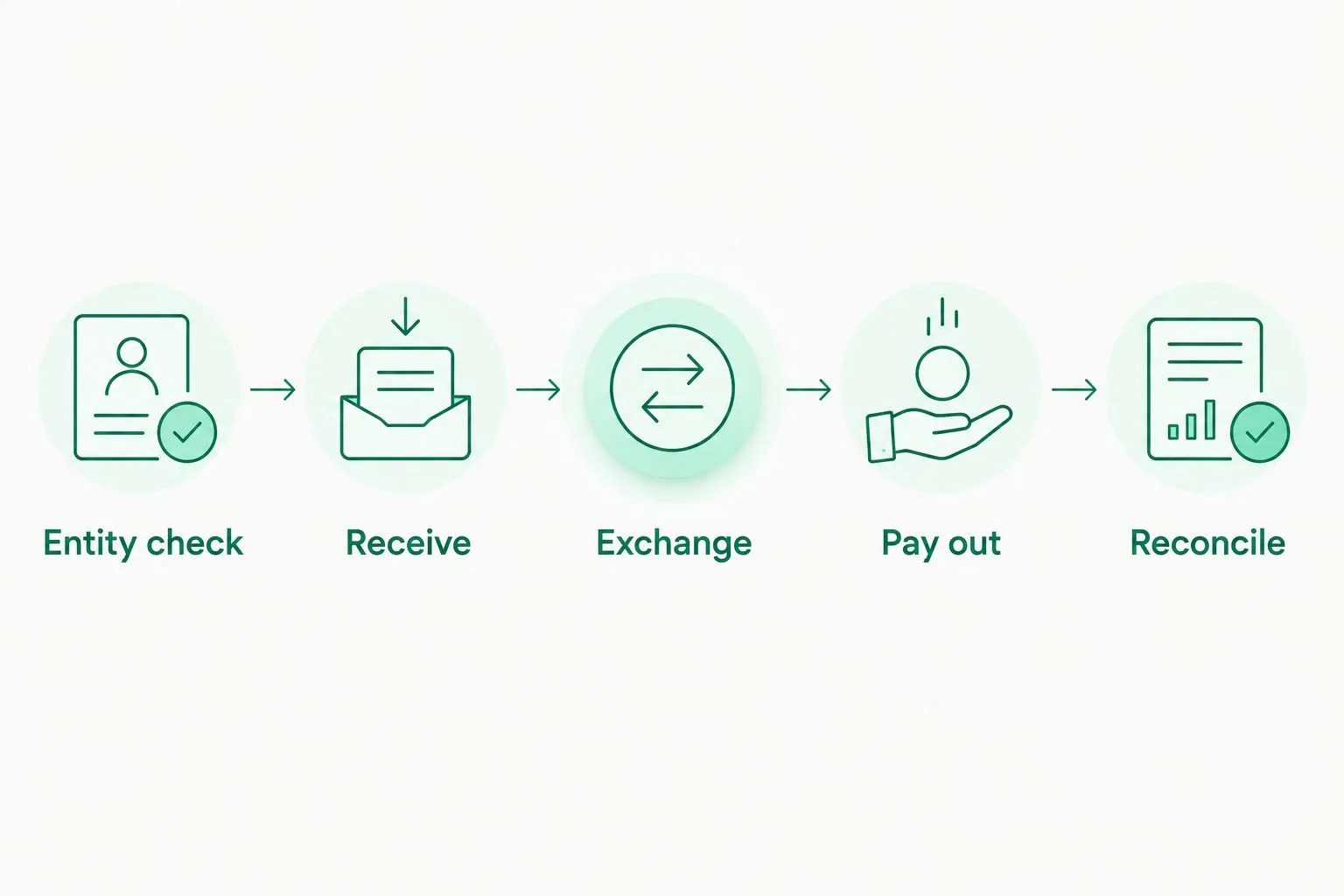
Check the complete payment route before changing customer invoice instructions.
Keep the first live transaction controlled and documented. Record what the sender entered, what arrived, which fees applied and how your team matched the transaction. That gives you evidence about your own workflow without relying on a general feature list.
How this ranking works
This 2026 ranking uses receiving details, currency scope, transaction costs, payout fit, team controls and entity eligibility as the decision framework. It assigns each provider a distinct use case rather than presenting an unsupported overall score.
Client-specific capabilities, limits, fees and usual timings reflect facts supplied on October 26, 2026. The other entries identify product categories and procurement checks; they aren't a completed eligibility review or a transaction-level cost comparison.
Choose the provider that passes your required workflow with the fewest unresolved checks. A larger feature list isn't a substitute for supported payments.
Which multi-currency account should you choose?
For a SaaS company focused on USD and EUR, start with the first option and verify entity eligibility, recipient destinations and payout limits. Dedicated account details, team roles and multiple company profiles address specific operating needs without requiring a broader currency scope.
Choose Wise Business when additional currencies drive the decision. Compare Airwallex when payment and spend workflows belong in the same evaluation. Choose Revolut Business when expenses are central, provided customer collections also fit.
For your 2026 decision, write a short acceptance checklist before opening an account. Include your legal entity, receiving methods, currencies, largest payout and required team permissions. Reject any option that fails an essential item.
Open an account
Get your own USD and EUR account details after verification. Check eligibility and supported payment routes.
FAQ
What's the best multi currency account for SaaS companies?
Moneyspace is the best fit on this shortlist for SaaS companies focused on USD/EUR collections, supported payouts and multiple company profiles. Choose a broader-currency option if your required workflow extends beyond USD and EUR, and confirm entity eligibility before applying.
Should a SaaS company choose Wise Business instead?
Choose Wise Business for further evaluation when broader currency needs are essential. Check the receiving details, payout routes and business features available to your company before deciding.
Can a multi-currency account replace subscription billing software?
No, multi-currency account services don't establish subscription-billing capabilities. Evaluate recurring collection, subscription changes and tax requirements separately from receiving and sending funds.
Do SaaS companies need both USD and EUR account details?
You need both when your payment workflow requires receiving USD and EUR through the corresponding supported methods. Start with actual customer instructions and supplier obligations rather than opening currency balances without a use case.
How should a SaaS company compare transaction costs?
Compare receiving, conversion and outgoing charges across the complete payment route. Include applicable minimums and any account or plan charges rather than comparing a single headline percentage.
Can a founder manage several companies under one sign-in?
The first-ranked option supports several companies and personal profiles under one sign-in. It also provides owner, admin, operator and view-only team roles; confirm your business setup during verification.
How quickly can a SaaS company receive ACH payments?
For the first-ranked option, incoming ACH usually takes 1–3 business days. Incoming wire and SEPA usually arrive within a business day, while payouts usually take 1–2 business days; these are usual timings, not delivery commitments.
One last thing
Ask a customer what their payment system requires before changing your invoice template. Confirm the beneficiary name, account details, currency and payment method together. That practical check addresses something a currency-count comparison cannot: whether your customer can use the instructions you provide.
Moneyspace is not a bank. Account details are provided through a licensed partner after verification. Balances are not bank deposits and are not FDIC-insured.