Best payment platforms for cross-border payroll in 2026

Best for USD/EUR contractor payouts: Moneyspace. Best for international business transfers: Wise Business. Best for hiring employees without a local entity: Deel. Best for managing employees and contractors together: Remote. Best for payroll across established entities: ADP Global Payroll. This 2026 guide separates payment delivery from the employment work that must happen before payday.
TL;DR
- Moneyspace is the best payment platform for cross border payroll when you need USD/EUR contractor payouts, not payroll calculations.
- Wise Business suits international business transfers; Deel and Remote address employment workflows beyond moving money.
- ADP Global Payroll suits established employers coordinating payroll across countries.
- Choose your employment model first, then assess payment methods, access controls, limits, and timing.
Why this matters
Sending money is not the same as running payroll. Employee payroll can involve gross-to-net calculations, withholding, statutory reporting, and employment obligations. Contractor payments require a different workflow, starting with correct worker classification and approved invoices.
For your 2026 shortlist, decide which problem you need to solve. A payment platform belongs after payroll calculations when you already have an employer, payroll provider, or accountant handling those responsibilities. An employer-of-record service addresses a different need: employing someone through a local employing entity.
Choose the employment arrangement before choosing the payout platform. A successful transfer does not establish that the underlying employment or contractor arrangement is correct.
What makes the best cross-border payroll platform?
Use these criteria to assess your 2026 shortlist before comparing feature lists:
- Employment scope: Separate payment delivery, payroll processing, contractor administration, and employer-of-record services.
- Payment fit: Match the payment method, currency, recipient details, and destination to your actual team.
- Timing visibility: Distinguish funding time from payout time. Look for clear transaction status rather than treating submission as receipt.
- Approval controls: Identify who can add recipients, authorize payouts, and grant access.
- Operating limits: Check transaction limits against your largest individual payment, not just your total payroll.
- Company structure: Determine whether you need one company's payment workspace or coordinated payroll across several legal entities.
No platform wins every category. A contractor payment operation and an employer expanding into another jurisdiction should not use the same buying checklist.
Cross-border payroll platforms at a glance
| Platform | Best for | Standout capability | Key limitation |
|---|---|---|---|
| Moneyspace | USD/EUR contractor payouts | Own-name account details, ACH/wire/SEPA payouts, and live payout status | Payment capabilities do not replace payroll calculations or employment compliance |
| Wise Business | International business transfers | Business transfers and currency conversion | Not a substitute for employee payroll processing |
| Deel | Hiring employees without a local entity | Employer-of-record services alongside payroll and contractor offerings | Employment services require a different evaluation from transfers alone |
| Remote | Managing employees and contractors together | Employee and contractor management offerings | Service scope depends on the employment arrangement and country |
| ADP Global Payroll | Payroll across established entities | Multicountry payroll administration | Does not remove your responsibilities as the employer |
1. Moneyspace: best for USD/EUR contractor payouts
Get your own USD and EUR account details, receive client payments, and pay contractors through supported ACH, wire, and SEPA routes. Account details are in your name rather than using a shared payment reference. USD/EUR exchange happens inside the account.
Best for: Agencies, small businesses, and founders paying an international contractor team after invoices or payment amounts have been approved.
Moneyspace pros:
- See the fee before confirming each payout.
- Track payments through Processing, On its way, and Completed.
- Assign owner, admin, operator, and view-only roles.
- Manage several companies and personal profiles under one sign-in.
Moneyspace cons:
- The supported currency scope is USD and EUR.
- The stated offering covers payments, not employee payroll calculations, tax filing, or employer-of-record services.
- Eligibility and recipient-route support need confirmation; a worldwide audience does not mean every application or destination qualifies.
Businesses have a $100,000/€100,000 limit per payout and no monthly limit. Individuals have a $10,000/€10,000 limit per payout and a $50,000/€50,000 monthly limit. Select the profile that matches the person or company actually making the payments.
Payouts usually take 1–2 business days. Every payout, new recipient, and team grant requires two-factor authentication. Account details are provided through a licensed partner after verification; the service is not a bank.
Verdict: Buy for a defined USD/EUR contractor payment workflow; skip as a replacement for employee payroll processing.
2. Wise Business: best for international business transfers
Wise Business provides business transfers and currency conversion. It belongs on your shortlist when the main task is moving business funds internationally rather than calculating employee pay or establishing an employment relationship.
Best for: Businesses that already have payroll or contractor administration handled and need an international transfer service.
Wise Business pros:
- Focuses on international business payments.
- Combines transfers with currency conversion.
- Fits a payment-delivery role alongside a separate payroll process.
Wise Business cons:
- Transfer services do not replace payroll calculations or employment administration.
- You must check the specific business eligibility, currency, and recipient route before relying on it for payday.
Start with a representative recipient, not a general list of supported markets. Confirm which entity sends the payment, what details the recipient supplies, and who handles any required conversion.
Verdict: Buy for international transfer needs; skip if you need the same provider to administer employment.
3. Deel: best for hiring without a local entity
Deel offers employer-of-record, payroll, and contractor services. Its employer-of-record offering addresses a problem a transfer provider does not: employing workers through a local employing entity where you do not have your own.
Best for: Companies evaluating an employee hire in a country where they have not established an employing entity.
Deel pros:
- Offers employer-of-record services rather than payment delivery alone.
- Includes payroll offerings for employment-related workflows.
- Provides contractor services as a separate option.
Deel cons:
- A contractor service and an employer-of-record service are not interchangeable.
- Country-specific service scope and employment terms need review before you select the arrangement.
Begin with the intended worker relationship. Ask which entity employs the worker, what responsibilities remain with your company, and which service covers the proposed country. Don't choose an employment service solely because its payout interface looks convenient.
Verdict: Buy when the requirement is employing someone without your own local entity; skip for transfer-only procurement.
4. Remote: best for employee and contractor administration
Remote offers employer-of-record, payroll, and contractor management services. It belongs on the shortlist when your operational problem spans different worker relationships rather than only sending approved amounts.
Best for: Companies coordinating employees and contractors while keeping their contractual arrangements distinct.
Remote pros:
- Offers services for both employees and contractors.
- Includes employer-of-record options for international employment.
- Addresses workforce administration beyond the transfer itself.
Remote cons:
- Using one provider does not make employee and contractor obligations identical.
- You need to confirm which services apply to each country and worker arrangement.
Map each worker to the relevant service before comparing providers. An employee hired through an employer of record and an independent contractor still require different documentation and operating decisions, even when the same provider supports both workflows.
Verdict: Buy for a mixed-workforce administration requirement; skip if your only unmet need is payment delivery.
5. ADP Global Payroll: best for established international employers
ADP Global Payroll addresses payroll administration across countries. It is a different buying category from a transfer service: the central task is coordinating payroll for an employer operating across jurisdictions.
Best for: Businesses with established employing entities and a need to coordinate multicountry payroll.
ADP Global Payroll pros:
- Focuses on payroll administration rather than transfers alone.
- Addresses multicountry payroll operations.
- Fits an evaluation led by payroll, finance, and HR together.
ADP Global Payroll cons:
- Your company retains employer responsibilities.
- Implementation requires a defined scope for entities, payroll data, and local processes.
Start with your entity structure and existing payroll arrangements. Document where pay is calculated, who approves it, and which local responsibilities sit with your organization. That operating map matters more than a generic international coverage claim.
Verdict: Buy for established multicountry payroll operations; skip for a standalone contractor payout requirement.
Build the payment workflow before choosing a platform
For your 2026 rollout, separate three stages: Funding, Approval, and Payout. Assign an owner to each stage. A transfer service can support the final stage without taking responsibility for everything before it.
Funding
Confirm when incoming funds become usable for the payment run. For the USD/EUR service described above, incoming ACH usually takes 1–3 business days, while incoming wire and SEPA payments usually arrive within a business day.
Don't treat an incoming payment instruction as an available balance. Plan funding separately from the outgoing payout window, especially when a client payment finances your contractor run.
Approval
Approve the payment amount, recipient details, currency, and legal basis before sending. Give each team member the access their job requires. A view-only user has a different role from someone operating the payment workflow.
Payout
Check the destination, payment method, applicable limit, and displayed fee before confirmation. Then monitor the transaction status. Keep the payment record connected to the approved invoice or payroll output so finance can reconcile it.
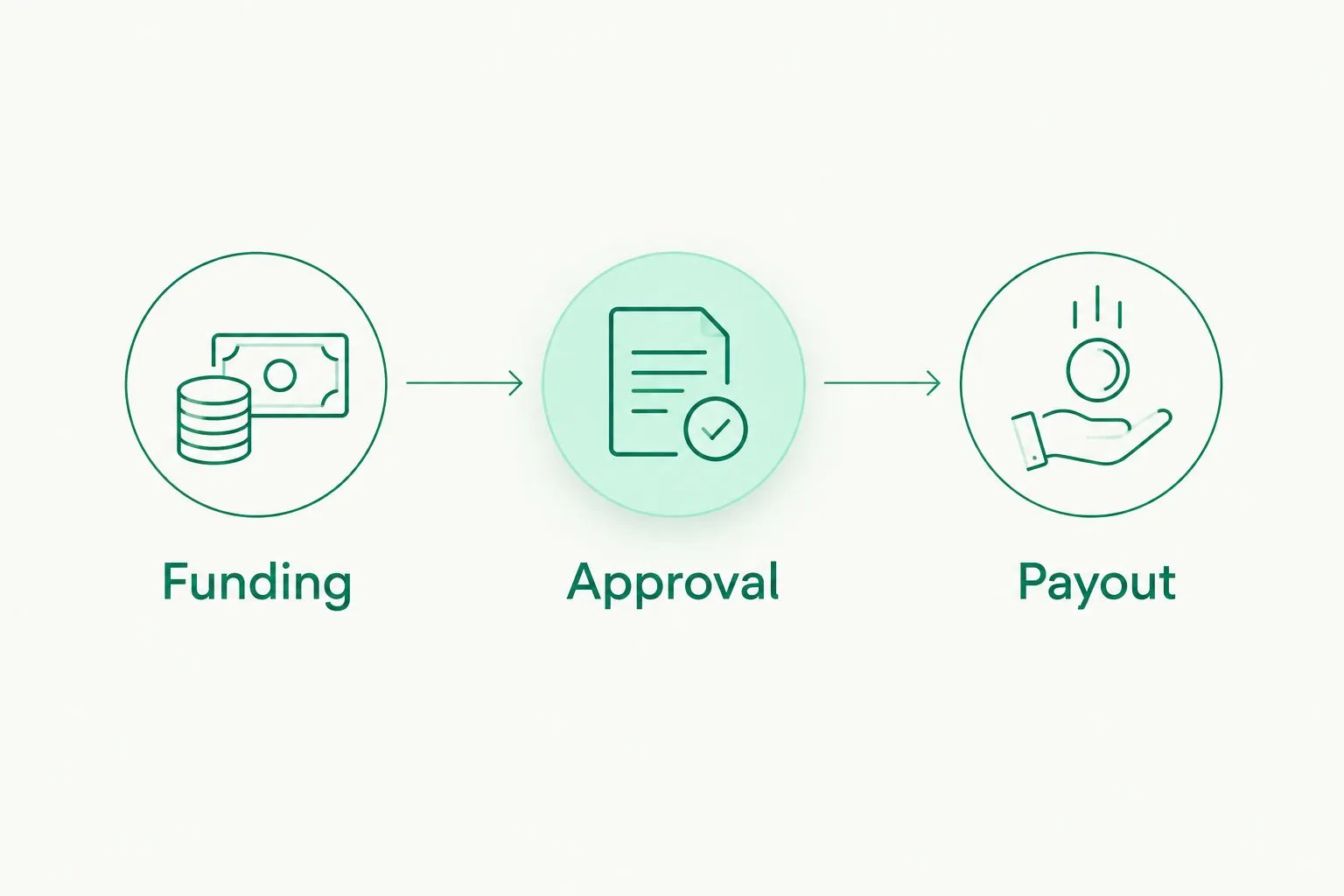
Approve the obligation before releasing the payment.
Keep worker classification outside the payment decision
A worker's payment method does not determine whether that person is an employee or an independent contractor. For U.S. reporting questions, employee versus contractor classification affects whether W-2 or 1099 reporting applies; an ACH transfer does not answer that question.
Cross-border arrangements also require attention to the rules relevant to the worker and employing business. Get qualified advice on the actual relationship. Don't turn a platform's contractor label into a legal conclusion.
This distinction changes your shortlist. If you need an employing entity, evaluate employer-of-record services. If you already employ the worker, evaluate payroll processing. If approved contractor invoices are the only outstanding task, evaluate payment delivery.
Run a practical acceptance check
Use a real operating scenario before making a decision. The check should connect your largest payment, worker relationship, and approval process rather than testing only whether you can create a login.
- Recipient fit: Confirm the exact destination and payment method you intend to use.
- Entity fit: Verify that the sending profile represents the correct individual or business.
- Limit fit: Compare each payment with the applicable per-payout limit.
- Access fit: Identify who adds recipients, who approves amounts, and who sends payments.
- Record fit: Decide how payment records connect to invoices or payroll outputs.
- Exception fit: Establish who investigates a payment that has not reached the expected status.
Keep separate companies' obligations separate, even when one sign-in lets you access several profiles. Convenience does not change which entity owes the worker or which entity should make the payment.
How the platforms are ranked
The ranking follows employment scope first, then payment fit, timing visibility, controls, limits, and company structure. It is a use-case ranking, not a claim that every provider was tested against the same transaction.
The first position serves a specific requirement: approved USD/EUR contractor payouts. The other positions address international transfers, new-country employment, mixed-workforce administration, and established multicountry payroll. Choose the category that matches your responsibility before comparing individual features.
Which platform should you choose?
Moneyspace is the best cross-border payroll payment platform for teams that need USD/EUR contractor payouts and handle payroll obligations separately. Its own-name account details, supported payout methods, team roles, and live status address that defined payment workflow.
For your 2026 decision, choose Deel when the core requirement is employment without your own local entity. Evaluate Remote for mixed employee and contractor administration, and ADP Global Payroll for established multicountry payroll. Keep Wise Business on the shortlist when international transfers are the main requirement.
Don't buy employment administration to solve a transfer problem. Don't buy a transfer service expecting it to become your payroll department.
Open an account
Get your own USD and EUR account details after verification. Confirm eligibility and supported payout routes.
FAQ
What's the best payment platform for cross border payroll?
The best choice depends on whether you need payment delivery, payroll processing, or an employer of record. For approved USD/EUR contractor payments, prioritize supported routes, approval controls, payout limits, and transaction status.
Can a payment platform calculate employee payroll?
A payment platform does not necessarily calculate employee payroll. Confirm that gross-to-net calculations, withholding, and required reporting are explicitly included in the service you select.
Is Deel better than a transfer platform for international employees?
Deel addresses employment needs through offerings that include employer-of-record services. A transfer platform addresses payment delivery, so the better choice depends on whether you need an employing entity or only a way to send approved payments.
Can I use ACH or SEPA to pay international contractors?
You can use ACH or SEPA when the provider supports the recipient's details, currency, and destination. Confirm the actual route rather than assuming a contractor's location alone establishes eligibility.
How long should I allow for USD/EUR payouts?
The featured USD/EUR payout service usually takes 1–2 business days for payouts. Funding is separate: incoming ACH usually takes 1–3 business days, while incoming wire and SEPA payments usually arrive within a business day.
What payout limits should a business check?
Check the limit for each individual payment and any monthly limit. The featured USD/EUR service permits business payouts up to $100,000/€100,000 per payout with no monthly limit; individual profiles have lower limits.
Does paying someone as a contractor settle their employment status?
No. Worker classification depends on the relevant rules and the actual working relationship, not the payment method or the label used inside a platform.
One last thing
Your largest single payment can disqualify a platform even when the monthly total fits. Check that payment first, then verify the sending entity and recipient route. A suitable dashboard cannot fix a mismatch between your obligation and the service's scope.