Coinbase to bank account: complete 2026 off-ramp workflow
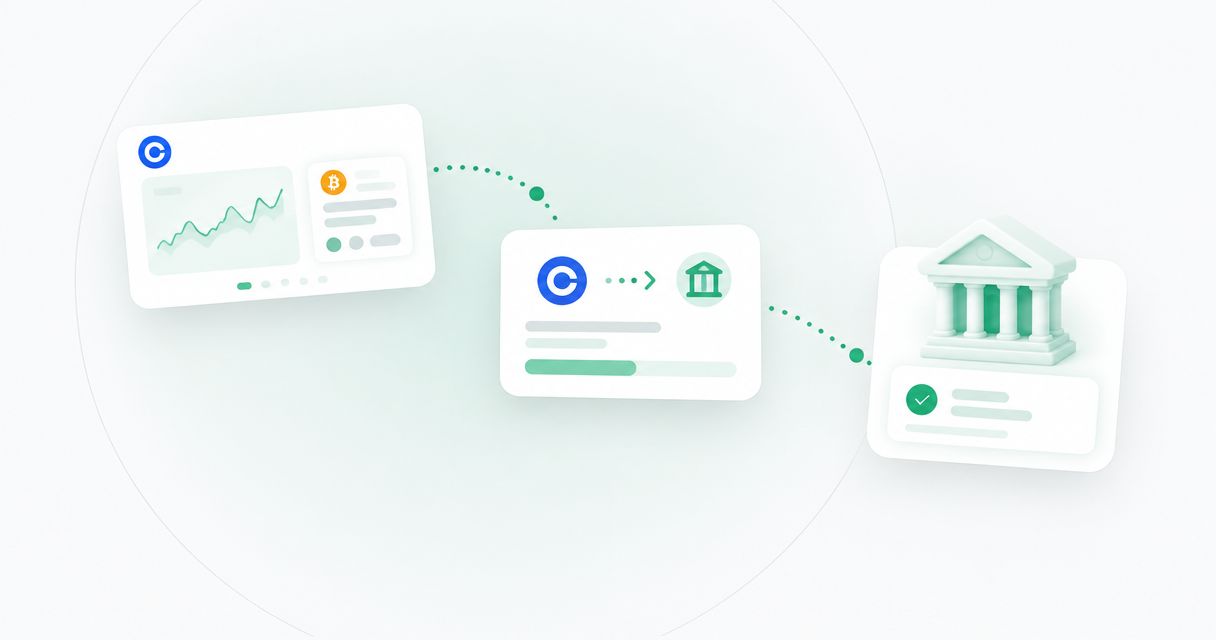
Instead of manually piecing together each withdrawal, use a Coinbase to bank account workflow that checks the destination, sells the asset into supported cash, and cashes out through an available payment method. If you’re considering Moneyspace for the receiving account details, confirm acceptance of Coinbase-originated funds before selling or sending; dedicated USD and EUR details alone don’t establish compatibility.
TL;DR
- Use this Coinbase to bank account workflow: confirm eligibility, sell into cash, cash out, then reconcile.
- Coinbase cash-out methods depend on your account, location and linked payment method.
- Moneyspace suits freelancers needing dedicated USD and EUR account details; confirm Coinbase-originated transfer acceptance separately.
- A completed sale is not a completed withdrawal; check cash availability before submitting.
Why this matters
Selling crypto and withdrawing cash are separate actions. A sale changes what you hold inside Coinbase. A cash-out request moves available cash through a supported payment method to your selected destination.
That distinction prevents a common planning mistake: treating a successful sale as proof that the money is ready to spend elsewhere. Keep the sale confirmation, withdrawal reference and receiving-account entry separate until you reconcile them.
For your 2026 workflow, check the payment methods displayed in your own Coinbase account. Don’t copy another user’s route or assume an older walkthrough applies to your location. Account eligibility and destination acceptance come before speed.
Before you start
- Account access: Have access to your verified Coinbase account, its authentication method and the destination account. Confirm whether you’re moving personal funds or business funds before choosing the receiving profile.
- Destination instructions: Gather the recipient’s legal name and the receiving details for the supported currency and payment method. For a proposed Moneyspace destination, confirm eligibility and acceptance of Coinbase-originated transfers directly before proceeding. Its dedicated account details are provided through a licensed partner after verification.
- The non-obvious gotcha: A displayed balance isn’t necessarily available to cash out. Check withdrawal availability, outstanding holds and the payment methods Coinbase actually offers before selling an asset for an upcoming obligation.
Don’t start with an unsupported destination and expect a different transfer method to fix it. Resolve acceptance first. A routing number or IBAN identifies a receiving route; it doesn’t establish permission for every source of funds.
Destination and payment-method checks
Choose the receiving profile
- Identify the legal owner of the Coinbase account sending the funds. Use that identity when checking the destination’s ownership requirements.
- Read the destination’s receiving instructions. Confirm whether it accepts transfers from an exchange and whether additional source-of-funds documentation is required.
- Match the destination currency to the cash currency you plan to withdraw. Don’t assume the receiving provider will convert an unsupported currency.
- Confirm the payment method on both sides. An ACH route, a wire route and a SEPA route are not interchangeable instructions.
- Save the acceptance guidance and receiving details with your transaction records. Recheck details if the provider changes them.
Expected result: You have an accepted destination, the correct account owner, a supported currency and matching payment instructions. Stop here if any of those remains unresolved.
Compare the routes actually offered
Use this table to evaluate a route only after Coinbase displays it for your account and the destination confirms acceptance. It describes payment-method fit, not a promise that every route is available.
| Route | Best for | Practical advantage | Constraint to check |
|---|---|---|---|
| USD through ACH | An accepted USD destination with ACH instructions | Uses the destination’s ACH receiving details | Both providers must support the route and source of funds |
| USD through wire | An accepted USD destination requiring wire instructions | Matches a wire-specific receiving route | Wire instructions can differ from ACH instructions |
| EUR through SEPA | An accepted EUR destination with SEPA instructions | Keeps the receiving currency in EUR | Account eligibility, recipient details and route support still apply |
Choose the supported route, not the most familiar acronym. If the offered cash-out method doesn’t match the destination’s instructions, don’t submit the transfer.
For broader destination research, use the crypto-to-bank off-ramp services guide. Compare acceptance requirements before comparing transfer timing.
Sale and available-cash checks
Prepare the cash balance
- Open the asset you intend to sell in Coinbase. Check the asset name and available quantity before opening the sale flow.
- Select Sell where Coinbase offers that action. Choose a supported cash destination rather than another crypto asset if your goal is a cash withdrawal.
- Review the sale preview. Check the asset quantity, cash currency, deductions and resulting cash amount before confirming.
- Confirm the sale only after those details match your plan. Keep the transaction record for reconciliation and any applicable tax reporting.
- Open the resulting cash balance. Check how much is available to cash out rather than relying only on the total balance shown elsewhere.
Expected result: The sale appears in your activity, and you can identify the cash amount available for withdrawal. If cash remains unavailable, wait for the stated restriction to clear or resolve it with Coinbase.
The exact placement of controls can differ between the app, browser and account type. In 2026, follow the labels shown in your account rather than looking for a button location from an older screenshot.
Keep the stages separate
Use a simple sequence: Destination check, Sale, Cash availability, Cash out, Reconciliation. Each stage has its own evidence, so don’t mark the entire workflow complete after the sale.
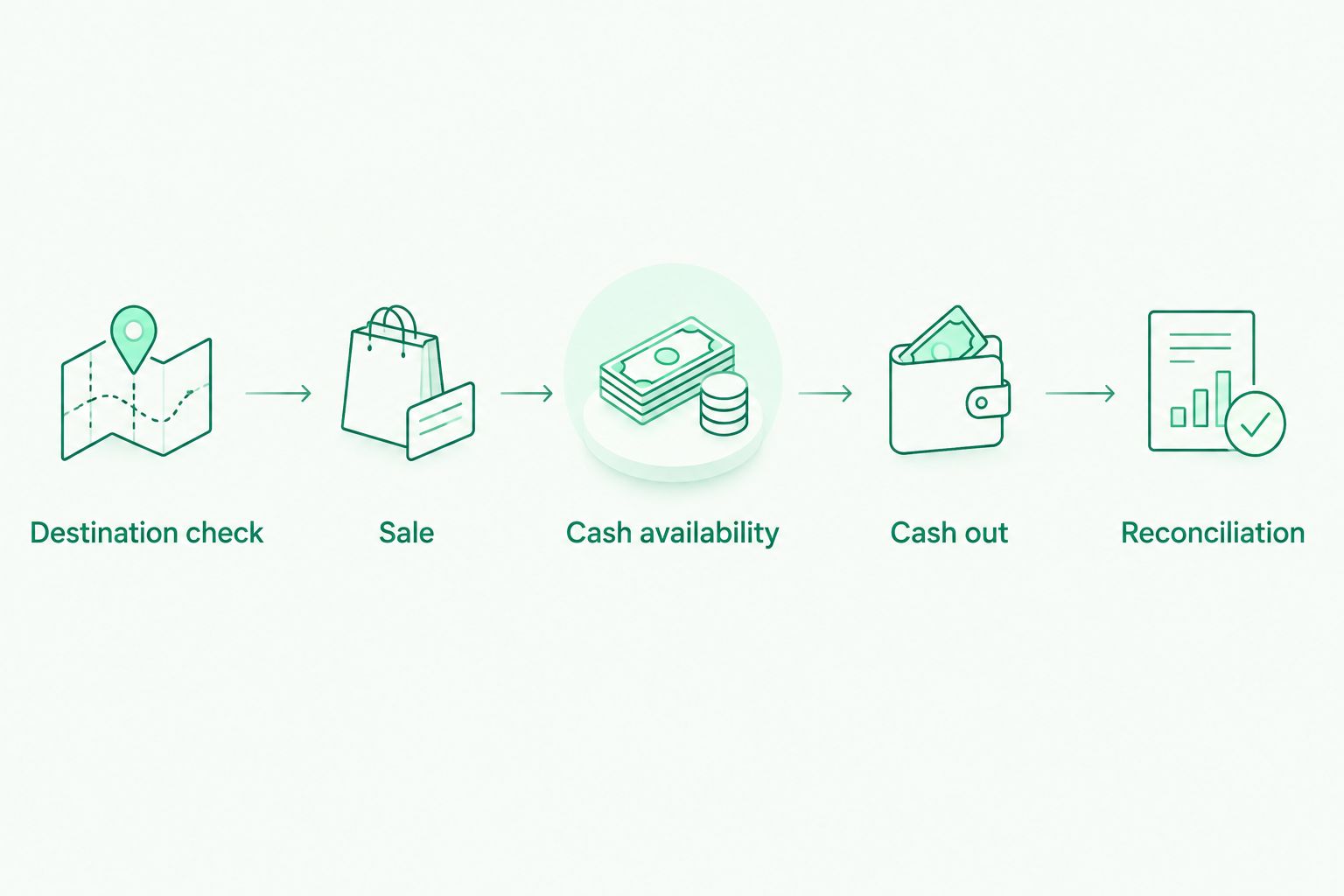
Finish each stage before treating the withdrawal as complete.
A sale receipt answers what you sold. A withdrawal record answers where you sent the cash. The destination’s transaction history answers whether the receiving side recorded it.
Cash-out configuration and confirmation
Set the destination and amount
- Open the relevant cash balance and select Cash out where that option is available. If the action is unavailable, resolve the restriction instead of switching destinations at random.
- Choose the accepted receiving method already linked to your account. If you need to add a method, complete Coinbase’s verification process before relying on it for a deadline.
- Compare the saved destination against your receiving instructions. Check the legal name, currency and identifying account details.
- Enter an amount within the available cash balance. Review the withdrawal preview and the expected receiving amount.
- Read the displayed timing and any warnings. Confirm only when the destination, amount and payment method are correct.
Expected result: Coinbase shows a submitted cash-out request with a transaction reference or activity record. A submission confirmation is evidence of the request, not evidence of receipt.
Avoid making another withdrawal simply because the first hasn’t appeared at the destination. Check the original request’s status first. A second successful request creates another transfer; it doesn’t repair the first.
Verify receipt and reconcile
- Save the withdrawal reference, submission date, currency and amount. Keep these alongside the sale record.
- Check Coinbase activity for the withdrawal’s current status. Follow any action request shown there.
- Check the receiving account’s transaction history for the incoming payment. Match the currency and amount rather than relying on a notification alone.
- Record any difference between the sale proceeds, withdrawal amount and received amount using the actual transaction statements.
- Mark the workflow complete only after the receiving entry matches the transfer record or any discrepancy is resolved.
Expected result: You can trace the movement from asset sale to cash withdrawal to the receiving entry without guessing which transaction belongs to which stage.
For a business, keep the records under the correct company. A shared sign-in or common owner doesn’t make separate companies’ transactions interchangeable.
Second workflow: withdraw an existing cash balance
Skip the sale when you already hold available cash in the currency you intend to withdraw. This adjacent workflow starts at destination verification, not at the asset screen.
- Confirm that the existing cash balance is available to cash out.
- Recheck destination acceptance, ownership and payment-method compatibility.
- Open Cash out, select the accepted receiving method and enter the amount.
- Review the preview, submit the request and retain the transaction reference.
- Match the completed withdrawal with the receiving-account entry.
This route avoids an unnecessary sale. It does not remove account restrictions, receiving requirements or cash-availability holds.
Keep both versions in your 2026 operating checklist: one for asset sales followed by withdrawal, and one for cash already available. Don’t describe either as an automatic integration unless you have separately verified an automation method.
Troubleshooting
The cash balance exceeds the available withdrawal amount
Check the cash-out screen and account notices for restrictions or pending activity. Don’t use the total portfolio value as your withdrawal amount.
If the explanation is unclear, contact Coinbase with the relevant transaction reference. Selling another asset doesn’t resolve a restriction on withdrawing cash.
The receiving method won’t link
Compare the legal name, account type, currency and payment instructions. Confirm that Coinbase supports the method for your account and that the destination accepts the transfer source.
Don’t keep changing the recipient name to force a match. Correct an actual mismatch or use a destination whose requirements you meet.
The withdrawal is submitted but hasn’t arrived
Check the timing displayed for that specific withdrawal and its current Coinbase status. Then check the destination’s transaction history and any information requests.
Contact the appropriate provider with the reference, amount, currency and submission date. Don’t treat a general payment-method estimate as the arrival deadline for an individual transaction.
You entered the wrong destination
Check immediately whether Coinbase offers a cancellation action for that request. Contact support promptly if the details are incorrect.
Don’t assume a submitted transfer can be recalled. Avoid sending a replacement until you understand the first transfer’s status.
The recipient asks for supporting documents
Provide the records requested through the provider’s official support channel. Relevant records can include the sale confirmation and withdrawal history.
Keep ownership and business-purpose explanations consistent with the actual transaction. Never alter documents or describe business funds as personal funds to bypass a restriction.
Customize your workflow
Moneyspace is best for freelancers and small businesses needing dedicated USD and EUR account details, not for assuming exchange-transfer acceptance. Its strengths are account details in the customer’s own name, USD/EUR exchange, team access and live payout status. The constraint for this guide is that Coinbase-originated transfer acceptance must be confirmed separately.
If an incoming transfer is accepted, the client-supplied timing is usually 1 business day for incoming wire or SEPA and 1–3 business days for incoming ACH. These are receiving-service estimates, not a combined Coinbase-to-destination delivery promise.
For later supplier or team payments, payouts usually take 1–2 business days. Every payout, new recipient and team grant requires 2FA. The outgoing status sequence is Processing, On its way, Completed; don’t apply that sequence to Coinbase’s withdrawal interface.
For your 2026 operating procedure, assign an owner for destination checks and another review point before business payouts. Keep company records separate even when several company profiles share a sign-in.
Product facts in this section were supplied by the client on October 26, 2026, for USD/EUR receiving details, payouts and access controls. Moneyspace is not a bank. Verify eligibility and transfer acceptance before opening an account for this specific workflow.
FAQ
How do I complete a Coinbase to bank account workflow?
Confirm the destination accepts the transfer, sell into supported cash if needed, and use an available Coinbase cash-out method. Verify receipt in the destination’s transaction history before marking the workflow complete.
Can I withdraw from Coinbase without selling first?
Yes, if you already hold cash that is available to cash out. If you hold only crypto, you need a supported conversion or sale into cash before using a cash withdrawal method.
Can I send Coinbase withdrawals to Moneyspace?
Confirm Coinbase-originated transfer acceptance with Moneyspace before sending. Dedicated USD and EUR account details do not by themselves establish that a particular exchange transfer is supported.
Why can’t I cash out my full Coinbase balance?
Check the amount marked available to cash out rather than the total balance. Account restrictions, holds or pending activity can prevent part of a displayed balance from being withdrawn.
Should I choose ACH, wire or SEPA?
Choose the method supported by both Coinbase and the receiving destination for your currency and account. Use the destination’s instructions for that exact method, not details copied from another route.
How long does a Coinbase withdrawal take?
Use the estimate displayed for your specific cash-out request. The end-to-end time depends on cash availability, the withdrawal method and receiving-side processing; an incoming-payment estimate alone does not describe the full workflow.
Can I automate this workflow for recurring withdrawals?
This guide describes a manual workflow, not a verified automation. Confirm any proposed automation’s supported actions, permissions and safeguards before using it to sell assets or move funds.
One last thing
Check the destination before you sell. If the receiving provider rejects the source of funds, a completed sale hasn’t solved your withdrawal problem. Keep a dated acceptance check in your 2026 records, then review it whenever the destination, account owner or payment method changes.