How long does a SEPA transfer take to arrive?

A standard electronic SEPA transfer normally arrives within 1 business day after the sending provider receives the payment order. A cutoff time, weekend or public holiday can move that starting point; submitting a payment isn't the same as having it accepted for execution.
TL;DR
- How long does a SEPA transfer take? Standard electronic payments normally arrive within one business day after receipt for execution.
- Moneyspace incoming SEPA payments usually arrive within a business day; outgoing payouts usually take 1–2 business days.
- Count business days from the provider’s accepted payment date, not just the moment you pressed send.
- Check the payment reference, recipient details and live status before sending a replacement payment.
Why this matters
An invoice due date is a receipt deadline, not a reminder to start a transfer. If you pay a contractor or supplier on the due date, a standard SEPA transfer can arrive after the deadline even when processing works normally.
Moneyspace is best for freelancers and businesses that need their own USD and EUR account details and visible payout progress. For SEPA transfers, distinguish incoming EUR payments from outgoing payouts: the published timing differs by direction.
For your 2026 payment schedule, record both the date you submit a payment and the date your provider accepts it for execution. That distinction makes overdue-payment conversations more precise.
How long does a SEPA transfer take to arrive?
A standard electronic SEPA credit transfer normally reaches the recipient's payment service provider by the end of the next business day after receipt of the payment order. The EU Payment Services Directive's execution-time rule, Article 83, provides the regulatory basis for qualifying payments within its scope. It isn't a promise that every payment submitted through every service arrives on that schedule.
The starting point matters. Under the directive's receipt rules, an order received outside a business day, or after an applicable cutoff, can be treated as received on the following business day.
Use this comparison to separate the general standard from the client's published service timings:
| Payment or direction | Usual timing | Best for | Advantage | Limitation |
|---|---|---|---|---|
| Standard electronic SEPA credit transfer | By the end of the next business day after receipt for execution, within the applicable rule's scope | Routine EUR payments | A defined business-day execution framework | Submission after a cutoff can move the receipt date |
| Moneyspace incoming SEPA | Usually within a business day | Receiving EUR from clients | Dedicated EUR details in your own name | Usual timing isn't a delivery commitment |
| Moneyspace outgoing payout | Usually 1–2 business days | Paying suppliers and teams | Live payout status | Don't substitute the incoming-payment timeline for the payout timeline |
The service-specific timings and capabilities above come from client-supplied information dated October 26, 2026. They describe the service's published expectations, not measured delivery results.
Use the timeline for the payment you're actually making. A general SEPA explanation doesn't replace your provider's execution date or the transfer's current status.
Incoming SEPA payments: usually within 1 business day
Moneyspace incoming SEPA payments usually arrive within a business day. You receive EUR using dedicated account details, including an IBAN and BIC, in your own name rather than a shared payment reference.
For a freelancer receiving an invoice payment, the useful question is when the client submitted the payment and when the sending provider accepted it. A client's message saying the invoice is paid doesn't establish either date.
Ask for payment confirmation if the expected arrival window has passed. Match the beneficiary name, IBAN, EUR amount and payment reference against your invoice and account details.
Keep these distinctions clear:
- Invoice marked paid: The client's internal record says payment has been handled.
- Payment submitted: The sender has instructed a transfer.
- Payment received: You can see the incoming payment in your account activity.
Those records serve different purposes. For your 2026 bookkeeping, reconcile the actual incoming transaction rather than treating an email or screenshot as proof that the funds have arrived.
Outgoing SEPA payouts: usually 1–2 business days
Moneyspace payouts usually take 1–2 business days. That published payout window is the relevant planning figure when you send EUR to a supplier or team member through supported SEPA destinations.
The service shows the stages Processing, On its way and Completed. Check the live status before asking the recipient to investigate, and use the transfer record when you contact support.
Don't read an intermediate status as confirmation that the recipient can already use the payment. Equally, don't submit another payment simply because the recipient hasn't recognized the first one yet.
For recurring business payments, keep the invoice number alongside the transfer reference. A supplier who receives several payments needs enough information to match yours to the correct invoice.
If you're building a repeatable payment process, the guide to SEPA payouts for online coaching businesses covers a related business workflow. Whatever your business model, separate the invoice deadline from the date you initiate the payout.
Why SEPA transfer timing varies
The next-business-day rule doesn't mean the clock always starts when you press send. These factors explain why a payment's calendar arrival date can differ from your first expectation:
- Cutoff time. An order submitted after the sending provider's cutoff can be treated as received the following business day. Check the provider's stated cutoff rather than assuming midnight applies.
- Non-business days. Weekends and relevant public holidays affect standard business-day processing. A day when your business is open isn't necessarily a processing day for the payment.
- Scheduled execution. A future-dated instruction starts from its agreed execution date under the applicable receipt rules, not the day you entered it.
- Payment direction. The published incoming SEPA expectation and outgoing payout expectation aren't interchangeable. Use the timeline attached to the direction of your transfer.
- Details and checks. Incorrect recipient details or a request for additional information requires attention. Check the payment record and respond to the provider rather than assuming ordinary processing time explains the delay.
For payments planned in 2026, consult the relevant holiday calendar before setting a deadline. Don't reuse a previous year's schedule or assume the sender's and recipient's local working calendars are identical.
How do you work out the expected arrival date?
Start with the accepted execution date, then apply the provider's business-day window. This gives you a useful follow-up date without turning an estimate into a promise.
- Confirm the method. Check that the sender selected a SEPA credit transfer in EUR. Don't apply a wire or ACH timeline to a SEPA payment.
- Check acceptance. Find the execution date or accepted payment date in the sending provider's record. A draft or scheduled instruction isn't evidence of execution.
- Count business days. Apply the published timeline while accounting for the cutoff and relevant holidays. Keep calendar days separate from business days.
- Review status. Read the latest transfer status and any request for action. Save the payment reference for follow-up.
- Confirm receipt. Match the incoming transaction with the intended invoice or payout. Ask the recipient to check the amount and reference, not just your name.
This sequence follows the payment from instruction to receipt. Each step answers a different question, so keep the records together rather than relying on a single confirmation screen.
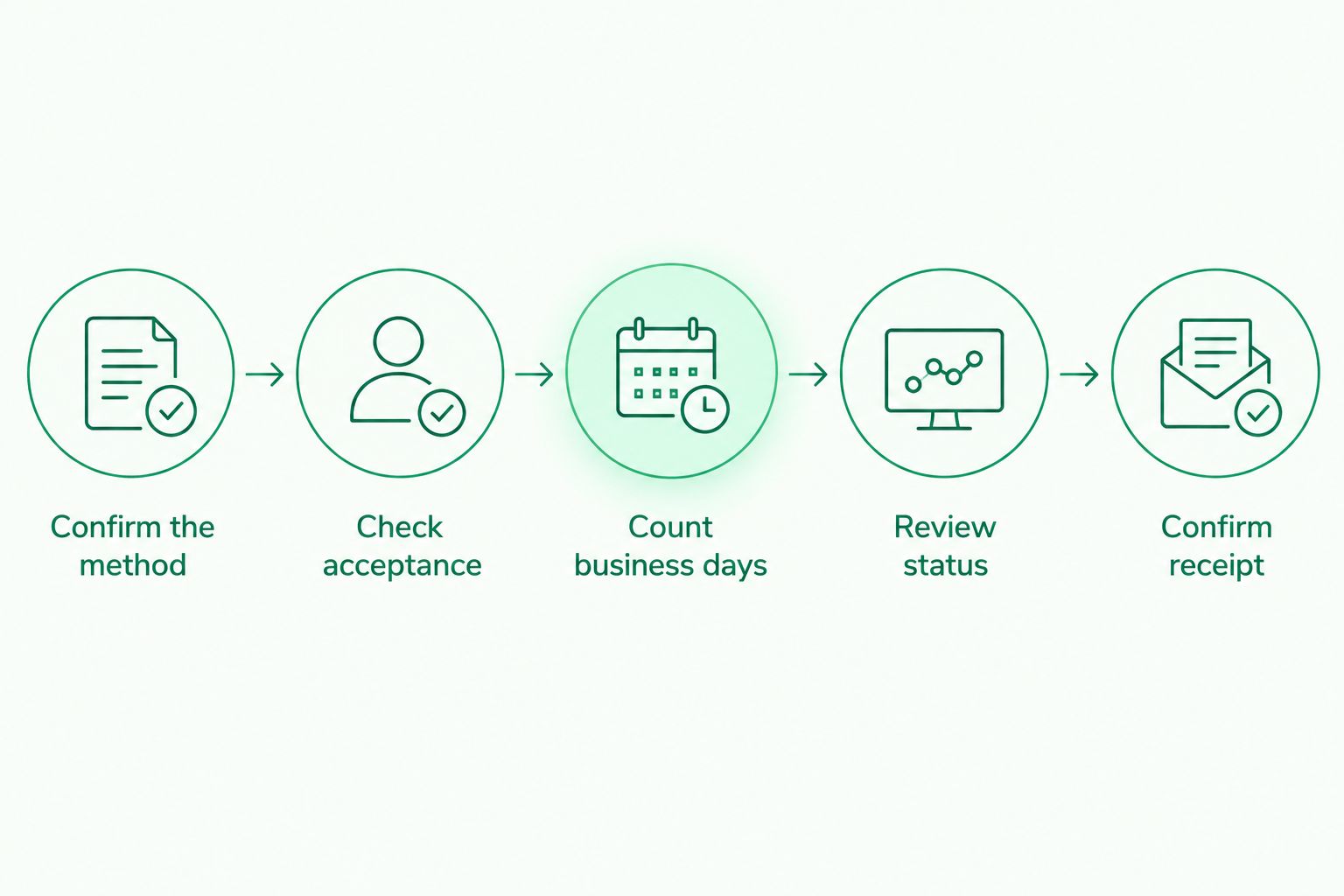
Establish the execution date before counting the expected processing window.
Suppose you submit a standard transfer before the applicable cutoff on a Monday with no relevant holidays. The usual next-business-day expectation points to Tuesday; submission after the cutoff can move the accepted date to Tuesday and the expected execution deadline to Wednesday.
That example illustrates the receipt rule, not a provider-specific delivery promise. Check the actual transaction record before using either date in a message to your recipient.
Does a SEPA transfer take longer over a weekend?
1 business day doesn't mean one calendar day, so a standard SEPA transfer can span a weekend without exceeding its normal execution window. A Friday payment accepted before the applicable cutoff ordinarily points to Monday when neither day is affected by a relevant holiday.
After-cutoff submission changes the calculation. Confirm the accepted date before deciding the payment is late.
When should you follow up on an outgoing payout?
1–2 business days is the published usual payout window for the service described here. Once that window has passed, check the transfer record and contact the sending provider with the reference, execution date, recipient details and current status.
Ask whether the payment needs action, remains in progress or has been returned. Don't send a replacement until you've established what happened to the original instruction.
Can incoming and outgoing SEPA transfers have different timelines?
1 business day for incoming payments and 1–2 business days for payouts are different published expectations. Receiving EUR and initiating a payout are separate service flows, so use the timing for the relevant direction.
When you collect a client payment before paying a contractor, plan both stages. Receiving the first transfer doesn't mean the second transfer has already started.
What should you check before sending EUR?
Check the recipient details, payment method and deadline before confirming. A correct instruction is easier to track than a payment that needs correction after submission.
Use this short pre-send checklist:
- Match the beneficiary name and IBAN to the recipient's current instructions.
- Confirm that EUR and SEPA are appropriate for the payment.
- Read the displayed fee before you send.
- Check the execution date and applicable business-day timeline.
- Include a reference the recipient can match to an invoice.
- Leave time for the recipient to confirm receipt before a critical deadline.
For business teams, decide who prepares the payment and who follows up with the recipient. Keep responsibility clear even when several people can access the workspace.
Moneyspace supports owner, admin, operator and view-only roles. Every payout, new recipient and team grant requires 2FA; several companies and personal profiles can sit under one sign-in.
Verification is online, with an ID check for individuals and KYB for businesses. Account details are provided through a licensed partner after verification; access remains subject to verification and eligibility.
Get your own EUR account details
Receive EUR by SEPA and track outgoing payouts through live status updates.
FAQ
How long does a standard SEPA transfer take to arrive?
A standard electronic SEPA transfer normally arrives within 1 business day after the sending provider receives the order for execution. Cutoff times, non-business days and the applicable service terms affect the starting point.
Does Saturday count as a business day for a SEPA transfer?
Saturday generally doesn't count toward standard SEPA business-day processing. Check the sending provider's processing calendar and the accepted execution date.
Why hasn't my SEPA transfer arrived after one calendar day?
One calendar day isn't necessarily one business day. Check whether the instruction was submitted after the cutoff, over a weekend or around a relevant public holiday.
How long do outgoing payouts usually take?
Outgoing payouts through the service described here usually take 1–2 business days. Use the live transfer status and accepted execution date when checking progress.
Can I use a payment screenshot as proof that the recipient has received EUR?
A payment screenshot doesn't establish receipt unless it records the recipient's actual incoming transaction. Ask the recipient to match the amount and reference in their account activity.
Should I resend a SEPA payment if the recipient says it hasn't arrived?
Don't resend a SEPA payment until you've checked the original transfer's status. Contact the sending provider with the payment reference to avoid creating a duplicate payment.
What should I ask a client when an invoice payment is late?
Ask for the payment method, accepted execution date, amount, beneficiary details and payment reference. Those details let you distinguish a transfer still processing from an instruction that hasn't been executed.
One last thing
The most useful date is the accepted execution date, not the date on the sender's message. Add that field to your 2026 payment tracker alongside the reference and expected arrival window.
When a payment appears late, that small record gives you a specific question to ask: has the applicable processing window actually passed? Resolve that before sending a duplicate or marking an invoice unpaid.
Moneyspace is not a bank. Balances are not bank deposits and are not FDIC-insured.