Is a multi-currency account worth it for freelancers in 2026?

Yes—a multi-currency account is worth it for freelancers in 2026 when clients pay in USD and EUR and you need to receive, exchange or pay out those currencies. It adds little value when your existing payment setup already handles your invoices and expenses in the same currency; compare receiving charges, conversion costs, payout charges and applicable minimums before switching.
TL;DR
- Is a multi currency account worth it for freelancers? Yes, when USD and EUR receipts match your payment needs.
- Moneyspace suits freelancers who need USD and EUR account details in their own name, subject to verification and eligibility.
- Compare the complete payment path: receiving, currency exchange and payout—not just the advertised transaction rate.
- Check supported destinations, payout limits and usual processing times before changing your invoice instructions.
Why this matters
Your invoice currency, payment method and spending currency are separate decisions. Receiving USD doesn't remove the need to exchange it if your expenses require EUR, and receiving money doesn't mean the onward payout has finished.
Start with your actual client payments rather than the longest feature list. The multi-currency accounts for freelancers guide provides a starting point for comparing options, but your decision should follow the payment path you use.
Choose an account that solves a recurring payment problem, not one that simply supports another currency. That distinction keeps the decision practical.
Is a multi-currency account worth it for freelancers in 2026?
A multi-currency account is useful when it connects how your clients pay with how you need to use the money. The strongest fit is recurring USD and EUR work with a clear need for the relevant receiving details, currency exchange or onward payouts.
| Payment setup | Best for | Main advantage | Main drawback |
|---|---|---|---|
| Keep your existing single-currency setup | Freelancers whose receipts and expenses already match | Avoids adding another account to your workflow | Doesn't address a new need for USD and EUR receiving details |
| Add a USD and EUR account | Freelancers receiving those currencies from international clients | Connects receiving, exchange and supported payouts | Adds verification, transaction charges and another reconciliation task |
| Use a USD and EUR account for selected clients | Freelancers with a mix of domestic and international work | Lets you change only the payment flows that need it | Requires clear invoice instructions for each client |
The decision isn't simply whether international work justifies another account. Ask whether the account changes something specific: the details you give a client, the currency you receive or the method you use to pay out.
If none of those changes helps, keep your existing setup. If several clients need USD or EUR payment instructions, assess the account against those requirements before onboarding them.
When USD and EUR account details are useful
Your own account details give clients a named destination for payment. That is different from receiving through shared details that depend on an additional reference to identify the recipient.
Before replacing payment instructions on an invoice, check what the client needs to send. A US client using ACH needs different instructions from a European client using SEPA. Match the account details to the agreed method rather than asking the client to interpret them.
Best for: freelancers with recurring US and European client payments. The benefit is practical: receiving details that match the currency and payment method your client uses.
The limitation is equally important. Dedicated account details don't establish that every employer, marketplace or payment platform accepts them. Check the sender's requirements before treating a new account as your only payment destination.
When keeping your current setup makes more sense
Keep your current setup when it already handles the currencies you receive and the payments you make. Another account should have a defined job.
For example, adding EUR receiving details doesn't solve a problem if none of your clients pays in EUR and you have no EUR payment needs. More features also mean more records to review when you reconcile invoices and transfers.
Best for: freelancers whose existing payment path already works. The advantage is fewer moving parts; the drawback is that you still need a separate solution if a client later requires an unsupported currency or payment method.
For your 2026 decision, compare an actual invoice workflow. Write down what the client sends, what arrives and what you must do before the money reaches its intended destination.
Why the value of a multi-currency account varies
The same account can solve an ongoing problem for one freelancer and add unnecessary administration for another. These factors determine the difference:
- Client currency: USD and EUR account details are relevant when your clients actually pay those currencies.
- Payment method: ACH, wire and SEPA are distinct routes. Confirm which route the sender can use and which details it requires.
- Exchange needs: Receiving one currency and spending another introduces an exchange step. Include that step in your comparison.
- Payout size: Applicable minimum charges and payout limits matter when assessing individual transfers.
- Payment timing: Compare receiving time with onward payout time. They are separate stages, not one combined promise.
- Verification and access: Individual verification, business verification and country eligibility affect whether the setup fits your situation.
Don't rank these factors in the abstract. If your main problem is a client requiring ACH details, solve that first. If your main problem is paying expenses in another currency, focus on exchange and the onward payment route.
How to assess your payment workflow before switching
Use this sequence to compare your existing setup with a new account. Keep the same invoice currency and intended destination in both comparisons so you're assessing the same job.
- Match client currency. Confirm whether the invoice is paid in USD or EUR. Don't assume a client's location determines its payment currency.
- Confirm receiving method. Ask whether the client sends ACH, wire or SEPA. Give the client the corresponding account details.
- Check exchange needs. Decide whether you need to exchange USD and EUR before making the next payment.
- Check payout requirements. Confirm the supported destination, payment method, applicable charges and limits.
- Reconcile the payment. Match the invoice, amount received, any exchange and the completed payout in your records.
The sequence separates a receiving problem from an exchange or payout problem. It also prevents you from choosing an account based on one attractive feature while overlooking the rest of the transaction.
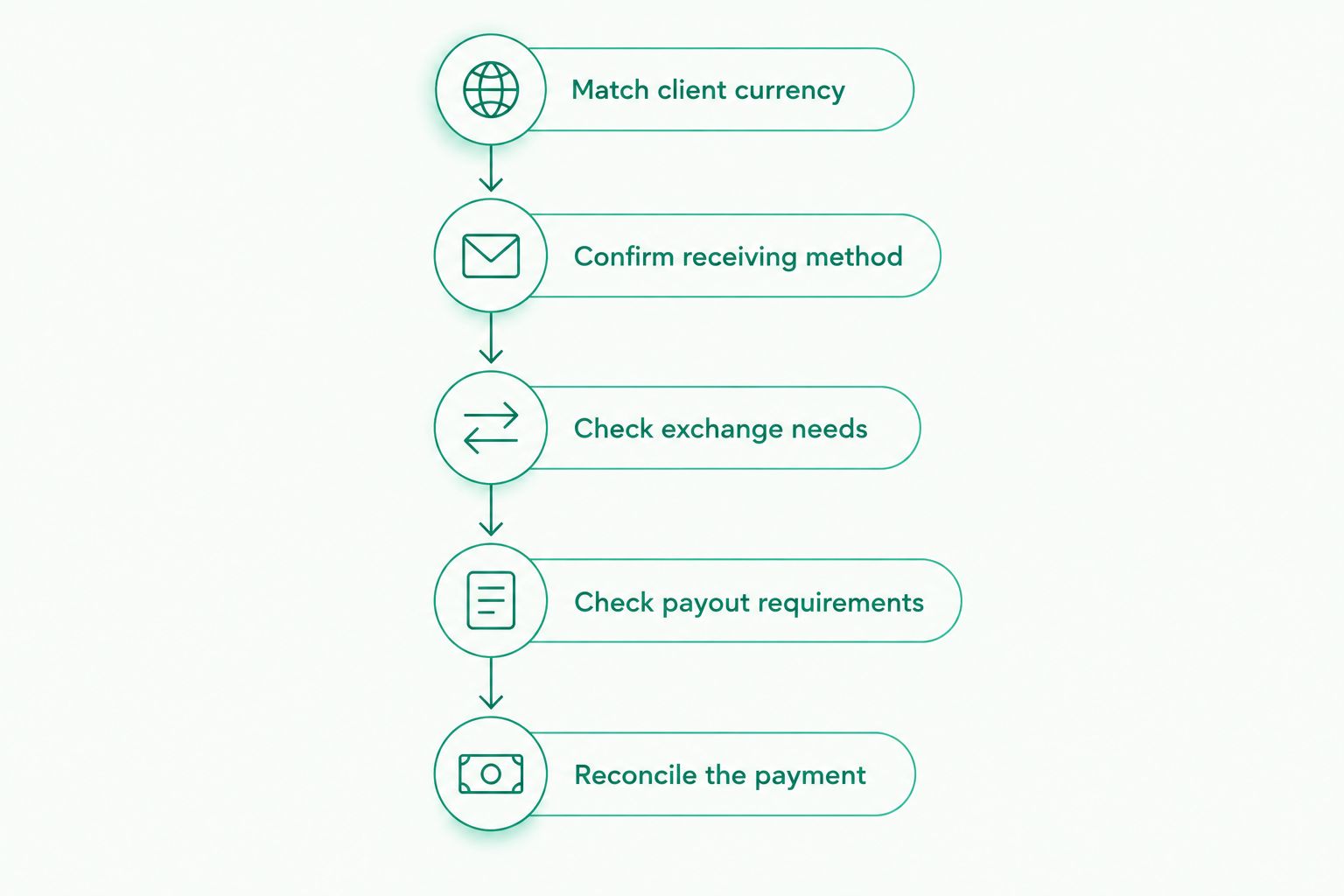
Assess the full payment path before changing your invoice instructions.
Keep separate records for receiving and sending. A client payment arriving in your account is not the same event as your onward payout completing.
Where Moneyspace fits for freelancers
Moneyspace is best for freelancers who need dedicated USD and EUR account details in their own name. Its multi-currency account supports receiving by ACH, wire and SEPA, exchanging USD and EUR, and making supported payouts through those methods.
The account provides USD routing and account details plus EUR IBAN and BIC details. You verify online once for access to USD and EUR, subject to the verification process and eligibility. Don't assume approval based on your location or occupation.
The practical strengths are named account details, the fee shown before confirmation and live payout status. Every payout, new recipient and team-access grant requires two-factor authentication.
The constraints belong in the decision too:
- Currency support covered here is USD and EUR.
- Payouts must use supported methods and destinations.
- Transaction charges and applicable minimums still need to be assessed.
- Verification doesn't establish universal country eligibility.
- Moneyspace is not a bank. Account details are provided through a licensed partner after verification.
For an individual profile, the payout limit is $10,000 or €10,000 per payout. Monthly limits are $50,000 or €50,000. Compare both limits with your expected receipts and onward payments rather than checking only your largest invoice.
Product facts in this section were supplied by the client on October 26, 2026. Check current terms and the transaction confirmation before committing to a payment.
Open an account
Get USD and EUR account details in your own name, subject to verification and eligibility.
How long does receiving and paying out take?
Incoming ACH usually takes 1–3 business days with Moneyspace. Incoming wire and SEPA usually arrive within a business day, while payouts usually take 1–2 business days.
Those timings describe different stages. Don't tell a supplier that an onward payment has completed merely because your client's payment has arrived.
Live payout status shows Processing, On its way and Completed. Use the displayed status to track the payout rather than treating the usual processing window as a fixed arrival deadline.
For cash-flow planning in 2026, record the client's expected payment date separately from your own payment deadline. The account gives you another way to receive and send money; it doesn't remove the need to allow for processing time.
Do I need both USD and EUR if only one client pays internationally?
No—you don't need an active use for both currencies to assess an account, but the second currency alone isn't a reason to switch. Start with the international client's currency, payment method and payment frequency.
If the account solves that client's receiving requirements, assess the onward payment path next. Don't build your decision around features you have no plan to use.
Should I use a personal or business profile for freelance payments?
Use the profile that matches the person or entity contracting with the client. Individual verification uses an ID check; business access requires business verification, also called KYB.
Check the contracting name, account holder and verification requirements before issuing payment instructions. A freelancer working personally and an incorporated agency aren't the same account-use case.
FAQ
Is a multi currency account worth it for freelancers in 2026?
Yes, when recurring USD and EUR payments create a clear need for receiving details, exchange or supported payouts. Keep your current setup if it already handles your client payments and expenses without an additional account.
Can freelancers outside the US and EU use Moneyspace?
Moneyspace serves freelancers outside the US and EU, subject to verification and eligibility. Its worldwide audience does not mean every country or applicant is eligible; confirm your circumstances before changing client payment instructions.
Do I have to exchange every payment I receive?
An exchange step is needed when you want to move between USD and EUR. If your next supported payment uses the currency you received, assess that payment path without assuming an exchange is required.
How long does an incoming ACH payment usually take?
Incoming ACH usually takes 1–3 business days. That receiving window is separate from the usual 1–2 business days for an onward payout.
What payout limits apply to an individual profile?
Individual payout limits are $10,000 or €10,000 per payout and $50,000 or €50,000 per month. Check both the single-payment limit and your total monthly payment needs.
Will dedicated account details work with every freelance platform?
Don't assume a freelance platform accepts particular account details. Check its account-holder, currency and payment-method requirements before replacing your existing payout destination.
What should I compare before opening a multi-currency account?
Compare receiving methods, exchange needs, payout methods, transaction charges, applicable minimums, limits and verification requirements. Evaluate the complete path from client payment to your intended destination, not just one stage.
One last thing
Check the sender's requirements before you change your invoice template. An account can support the right currency while still requiring you to confirm how a particular client or platform will send the payment.
For your next 2026 invoice, agree on the currency and payment method first. Then provide the matching account details and keep the receiving and onward-payment records separate. That is a more useful test of value than the number of currencies listed on a product page.