Shopify payouts to USD bank account: complete 2026 workflow
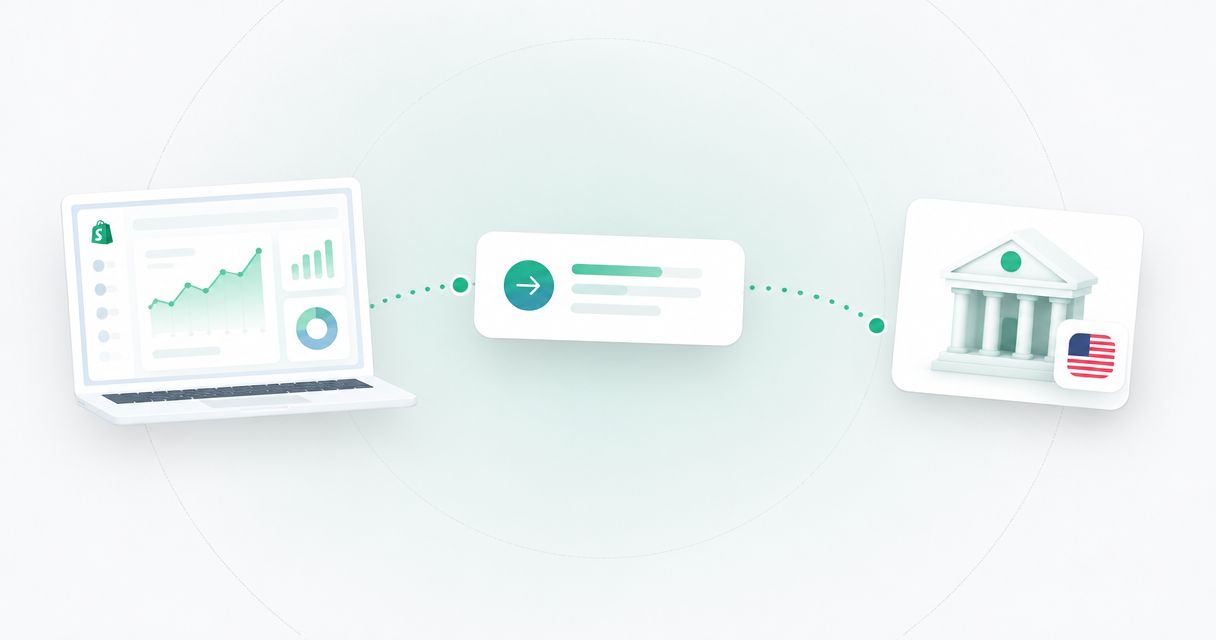
Instead of manually chasing each Shopify payout, configure an eligible USD payout destination and reconcile each transfer against your Shopify records. For Shopify payouts to USD account details, first confirm your store’s payout-currency rules and the receiving account’s eligibility; having USD details alone doesn’t establish compatibility.
TL;DR
- Shopify payouts require an eligible destination for your store’s country, payment provider, and payout currency.
- Moneyspace provides dedicated USD account details, but Shopify compatibility requires confirmation before you change your destination.
- Match the account holder to the selling entity and distinguish Shopify’s payout schedule from incoming transfer time.
- Confirm receipt and reconcile the first payout before using the balance for supplier payments.
Why this matters
A customer paying in USD doesn’t automatically mean your store can receive a USD payout. Checkout currency, settlement currency, and the receiving destination are separate parts of the payment workflow.
Moneyspace provides dedicated USD account details in the customer’s own name, including a routing number and account number. Moneyspace is best for sellers who need dedicated USD and EUR account details and supported supplier payouts—not a substitute for checking Shopify eligibility.
For your 2026 setup, establish the permitted destination before changing payment settings. This guide covers Shopify Payments; if you use another payment provider, that provider controls the payout configuration and requirements.
Before you start
- Get the right access. Have permission to manage Shopify payment settings, access to your receiving account details, and access to any required authentication method. Business receiving accounts require business verification.
- Prepare matching records. Keep your store’s legal entity information, account-holder name, routing number, account number, and receiving instructions together. Confirm that the destination supports the transfer method your payout provider uses.
- Check the non-obvious restriction first. Dedicated USD details don’t establish Shopify Payments eligibility. Confirm the requirements for your store’s country, entity, payout currency, and account type before replacing an existing destination.
Complete business verification before expecting account details to be ready for payouts. Moneyspace uses online verification, with one verification covering USD and EUR access, but approval and completion time aren’t promised.
Keep customer currency separate from payout currency. Selling to US customers doesn’t establish eligibility for a US-based Shopify Payments setup or a USD settlement arrangement.
Receiving destination checks
Establish the payout route
- Open Settings in Shopify, then Payments.
- Identify which provider processes the orders you want to reconcile. Continue with the Shopify Payments workflow only if those orders use Shopify Payments.
- Confirm which payout currencies and receiving destinations your store’s country supports. Read the country-specific Shopify Payments requirements before editing anything.
- Ask the receiving provider to confirm whether its USD details accept the relevant Shopify Payments transfers. Identify the country, currency, legal entity, and transfer method in your question.
- Record the answers alongside your payout instructions. Don’t treat a valid routing number as proof that the destination meets every requirement.
Expected result: You know which provider sends the payout, which currency it sends, and whether the proposed destination meets both providers’ requirements.
Match the selling entity
- Identify the legal person or company operating the store.
- Compare that identity with the receiving account holder. Resolve discrepancies before entering payout details.
- If you manage several companies, select the profile belonging to the company that operates this store. Don’t choose a profile simply because it already has USD details.
- Check the receiving instructions for the relevant payment method. Use the routing information specified for that method, not details copied from an unrelated transfer instruction.
Expected result: Your store records and receiving instructions identify the correct entity and transfer route.
A 2026 setup checklist should preserve these checks even when the same owner controls several businesses. Common ownership doesn’t make different legal entities interchangeable.
Shopify payout configuration
Enter the receiving details
- Return to Settings, then Payments.
- Under Shopify Payments, select Manage. Find the payout-destination controls shown for your store; the available controls depend on your configuration.
- Enter the requested receiving information exactly as supplied. Use the routing number and account number in their respective fields, and preserve any leading zeros.
- Check the account-holder information and payout currency before submitting the change.
- Complete any authentication or confirmation Shopify requests. Follow the instructions shown for your store rather than assuming the change takes effect immediately.
Expected result: Shopify shows the intended destination or provides a specific action needed to complete the change. Submitted details alone aren’t confirmation that a payout has arrived.
Don’t change unrelated checkout or currency settings just to make a receiving destination fit. Establish the permitted payout arrangement first, then configure that arrangement.
Preserve the setup record
- Record when you submitted the destination change.
- Save the confirmation and any instructions about when the change applies.
- Identify payouts already in progress and check their recorded destinations.
- Keep full account numbers out of shared reconciliation documents. Use an internal account label and the payout reference instead.
Expected result: You can distinguish transfers sent under the previous configuration from transfers using the new destination.
This record matters during a changeover. A transfer sent before the destination update should be investigated against its own payout details, not against the account currently displayed in settings.
First payout verification
Track the transfer
- Open the payout records for the relevant payment provider.
- Find the first payout assigned to the new destination. Record its reference, currency, amount, and status.
- Check the receiving account for the corresponding incoming transaction.
- Match the records using the available transaction references and amounts. Keep the payout record and the incoming transaction together.
- Investigate any discrepancy before treating the workflow as established.
Expected result: You can connect a specific Shopify payout to a specific received transaction, rather than relying on a balance change alone.
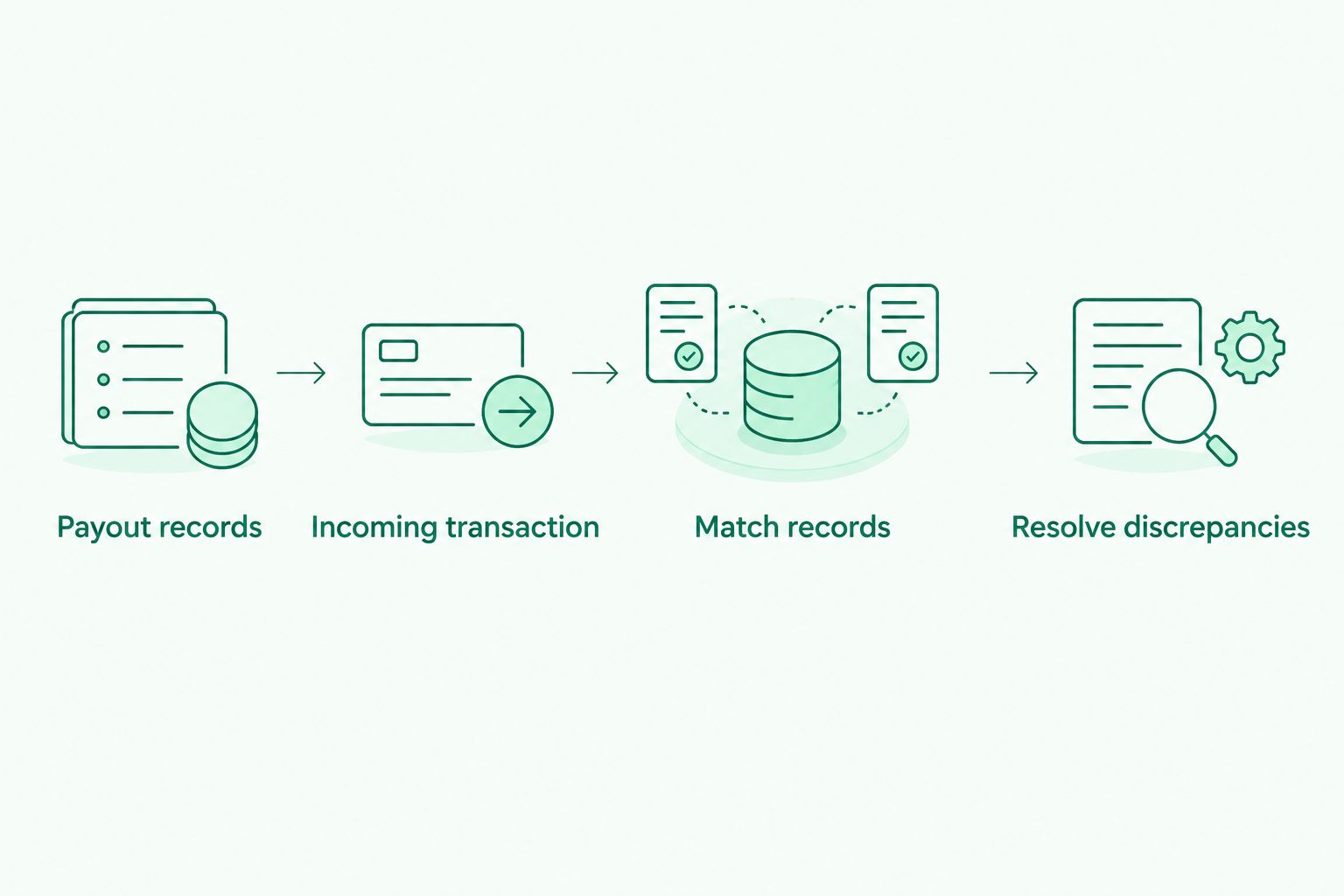
A payout is reconciled when its sending and receiving records match.
Shopify’s payout schedule and the receiving provider’s processing time are different intervals. Don’t start the receiving-time estimate from the customer’s checkout date.
Moneyspace lists incoming ACH transfers as taking 1–3 business days, while incoming wire transfers usually arrive within a business day. These are receiving-time expectations, not Shopify payout commitments, and they don’t establish when Shopify will release a transfer.
For your 2026 operating procedure, record the provider’s release status separately from the date funds appear in the receiving account. That distinction makes a delayed release different from a transfer that has been sent but hasn’t arrived.
Reconcile the received amount
- Compare the payout statement with the incoming transaction record.
- Separate order activity, payment-provider adjustments, and receiving charges using the records each provider supplies.
- Keep currency conversion separate from payment receipt if you exchange funds afterward.
- Mark the payout reconciled only after you can explain the difference between the recorded payout and the usable received balance.
Expected result: Your records show what Shopify sent, what arrived, and which documented transactions explain any difference.
Don’t label every difference a transfer problem. Check the underlying records before deciding whether the issue belongs to order settlement, receiving, or a later exchange.
Supplier payment configuration
Once the first receipt is reconciled, decide whether you need to retain USD or exchange it for a EUR obligation. Don’t add conversion simply because the seller operates outside the US.
| Workflow | Best for | Advantage | Limitation |
|---|---|---|---|
| Retain USD, then pay USD obligations | Sellers with USD supplier or team payments | Keeps receipt and payment in the same currency | The recipient and destination must support the chosen payout method |
| Exchange USD to EUR, then pay EUR obligations | Sellers with EUR invoices | Aligns the payment currency with the invoice | Adds a separate exchange transaction to reconcile |
Prepare and send a supported payout
- Confirm the recipient’s legal name, currency, destination, and payment instructions.
- Select a supported payout method: ACH, wire, or SEPA, as applicable to the destination and currency.
- Review the fee shown before confirmation. Keep the payment record with the supplier invoice.
- Complete the required two-factor authentication. Moneyspace requires it for every payout, new recipient, and team grant.
- Follow the payout status: Processing, On its way, then Completed.
Expected result: You have a recipient payment linked to its source funds and invoice, with a visible status rather than an undocumented balance reduction.
Payouts usually take 1–2 business days. Keep that interval separate from both Shopify’s release schedule and the incoming transfer interval.
For businesses, the supplied limit is $100,000 or €100,000 per payout, with no monthly limit. Check the applicable account limits before organizing supplier payments around an expected receipt.
Alternative workflow: update an existing payout destination
Replacing an established destination requires the same eligibility checks as a new setup. The difference is that you also need to track transfers already in progress.
- Export or record the outstanding payout references before submitting the change.
- Confirm the new destination’s eligibility and legal holder.
- Update the destination through Shopify’s payment settings and complete the requested confirmation.
- Check which destination applies to each outstanding payout.
- Reconcile the first transfer to the new destination before changing downstream supplier-payment instructions.
Best for: Sellers replacing an existing receiving destination while preserving a clear reconciliation trail.
The advantage is continuity of records. The limitation is that a destination change doesn’t tell you where every earlier transfer was sent; each payout record still needs checking.
For a 2026 migration, keep a short change log containing the submission date, confirmation, affected payout references, and first matched receipt. Don’t assume changing the destination also changes the payout currency.
Troubleshooting
Shopify rejects the receiving details
Check the routing number, account number, holder information, and receiving instructions against the original source. Then recheck the destination requirements for your store’s country and payout currency.
Don’t repeatedly resubmit unchanged details. Give the relevant support team the rejection message and proposed transfer method, without exposing full account credentials in an unsecured conversation.
The selling entity and account holder don’t match
Compare the store’s legal entity records with the receiving provider’s verified profile. Correct the underlying information before attempting another destination change.
For dropshipping businesses using a US entity, an EIN application for Shopify dropshippers concerns tax identification; it doesn’t establish payout-destination eligibility. Keep the entity’s tax records, Shopify verification, and receiving-account verification as separate checks.
Shopify shows a payout, but no receipt appears
Check whether the record indicates a scheduled payout or a transfer that has actually been sent. Confirm the destination attached to that specific payout, especially after an account change.
Once sent, compare the elapsed business days with the receiving provider’s stated timing. If you need support, supply the payout reference, release date, currency, amount, and destination identifier through an appropriate secure channel.
The received amount differs from the payout record
Inspect the payment-provider statement and the receiving transaction separately. Identify documented charges, adjustments, or conversion activity rather than attributing the difference to an assumed exchange rate.
If the records don’t explain the difference, ask the responsible provider to trace the specific transaction. A screenshot of the current balance doesn’t replace the transaction reference.
Receipt works, but a supplier payment doesn’t
Check the outgoing recipient details, supported destination, currency, available balance, and applicable payout limit. Confirm that the required authentication is complete.
Receiving USD doesn’t establish that every onward destination is supported. Diagnose the supplier payout separately from the successful incoming transfer.
Customize your workflow
Expand the process after the first payout is matched. Assign responsibility for checking incoming payments, approving recipients, and reconciling supplier payments.
Moneyspace supports owner, admin, operator, and view-only team roles, plus several companies and personal profiles under one sign-in. Assign access according to each person’s responsibilities, and verify the permissions before relying on a role for a particular task.
Use the multi-currency accounts for e-commerce sellers guide to structure your evaluation around receiving currencies and outgoing obligations. Keep provider acceptance, reconciliation, and supplier-payment support as separate selection criteria.
For your 2026 review, revisit the configuration when the selling entity, payment provider, or payout currency changes. This workflow describes manual configuration and reconciliation; it doesn’t establish an automated Shopify integration.
Open an account
Get dedicated USD and EUR account details after verification. Confirm Shopify eligibility before changing payouts.
FAQ
Can I receive Shopify payouts in USD outside the US?
Your store’s country, payment provider, and payout requirements determine whether USD payouts are supported. USD receiving details alone don’t establish eligibility.
Can I connect Moneyspace to Shopify Payments?
Confirm compatibility for your specific store before entering Moneyspace details. Dedicated USD account details don’t by themselves establish Shopify Payments acceptance, and this guide doesn’t claim a native integration.
Does accepting USD at checkout mean my payout will be USD?
No. Checkout currency and payout currency are separate settings, and your provider’s country-specific rules determine the available settlement arrangement.
How long does an incoming USD payout take?
Separate Shopify’s payout schedule from incoming transfer processing. The receiving service described here lists incoming ACH as 1–3 business days and incoming wire as usually within a business day; those intervals don’t establish Shopify’s release date.
Can I use personal account details for a company’s Shopify store?
Don’t assume personal details meet the requirements for a company-operated store. Match the selling entity to the receiving holder and confirm the requirements with both providers.
Will updating payout details redirect a transfer already sent?
Don’t assume a destination update redirects a transfer already sent. Check the destination recorded for each payout and follow the payment provider’s instructions for that transfer.
Can I exchange received USD to EUR before paying suppliers?
The receiving service described here supports USD/EUR exchange inside the account and supported ACH, wire, and SEPA payouts. Review the exchange and payment details separately, and confirm recipient eligibility before sending.
One last thing
A saved destination is a configuration result; a matched receipt is the operational check. Keep the first payout reference and its corresponding incoming transaction as the baseline for later reconciliation.
Moneyspace is not a bank. Account details are provided through a licensed partner after verification, and balances are not bank deposits.